# Field Background Analysis
In the R&D process, database development and operations are a fundamental and critical component. Although there is no unified standard or mainstream solution in the industry, Zadig, as a cloud-native DevOps platform, is committed to enhancing product stability and business delivery capabilities and closely follows advancements in the database field. This article will conduct an initial study and analysis of the database tools currently available on the market and explore how to integrate these tools (Flyway, Liquibase, Bytebase, Alibaba DMS) with Zadig to provide practical guidance to readers.
We will delve into the usage conditions, principles, and processes of these tools and conduct a horizontal comparison to help you choose the database development and operations tool that best suits your needs. The following is a primary analysis of the main differences between these tools:
| Features | Flyway | Liquibase | Alibaba Cloud DMS | Zadig | Bytebase |
|---|---|---|---|---|---|
| Company | Red Gate | Liquibase | Alibaba | KodeRover | Bytebase |
| First Version Released | 2010 | 2006 | 2016 | 2018 | 2021 |
| Product Version | Open Source/Commercial | Open Source/Commercial | Commercial | Open Source/Commercial | Open Source/Commercial |
| Ease of Use | CLI is simple and easy to use | CLI is feature-rich but has a higher learning curve | Rich UI features | Highly customizable UI | User-friendly UI |
| Observability | View change history through schema change records | Strong observability | Workflow based on business requirements | Comprehensive GUI | Intuitive change process and SQL details |
| Maturity | Mature | Mature | Relatively mature | Rapid development | Rapid development |
| Function Focus | SQL/JAVA-based database change management, scripted migrations, version control, automatic execution and rollback, fault handling, and scalability | Portable, script-based change management, version control, automated execution, database refactoring, conflict resolution, incremental changes, and scalability | Change management based on work orders, data asset management, and compliance audit-friendly | A full-process DevOps platform for developers, supporting native databases, Flyway, Liquibase, Bytebase, DMS, and other tools and platform orchestration | Provides schema and data change, version management, audit pipelines, and one-stop database development for developers and DBAs. |
# Flyway
Flyway (https://flywaydb.org (opens new window)) is an open-source database version management tool. Flyway can manage and track database changes independently of the application, supports automatic database version upgrades, and has a set of default conventions that do not require complex configurations. Migrations can be written as SQL scripts or in Java code. It supports Command Line, Java API, build tools, and Spring Boot, and can safely and reliably upgrade databases in a distributed environment, supporting failure recovery.
# Supported Database Types
Supports all relational databases:
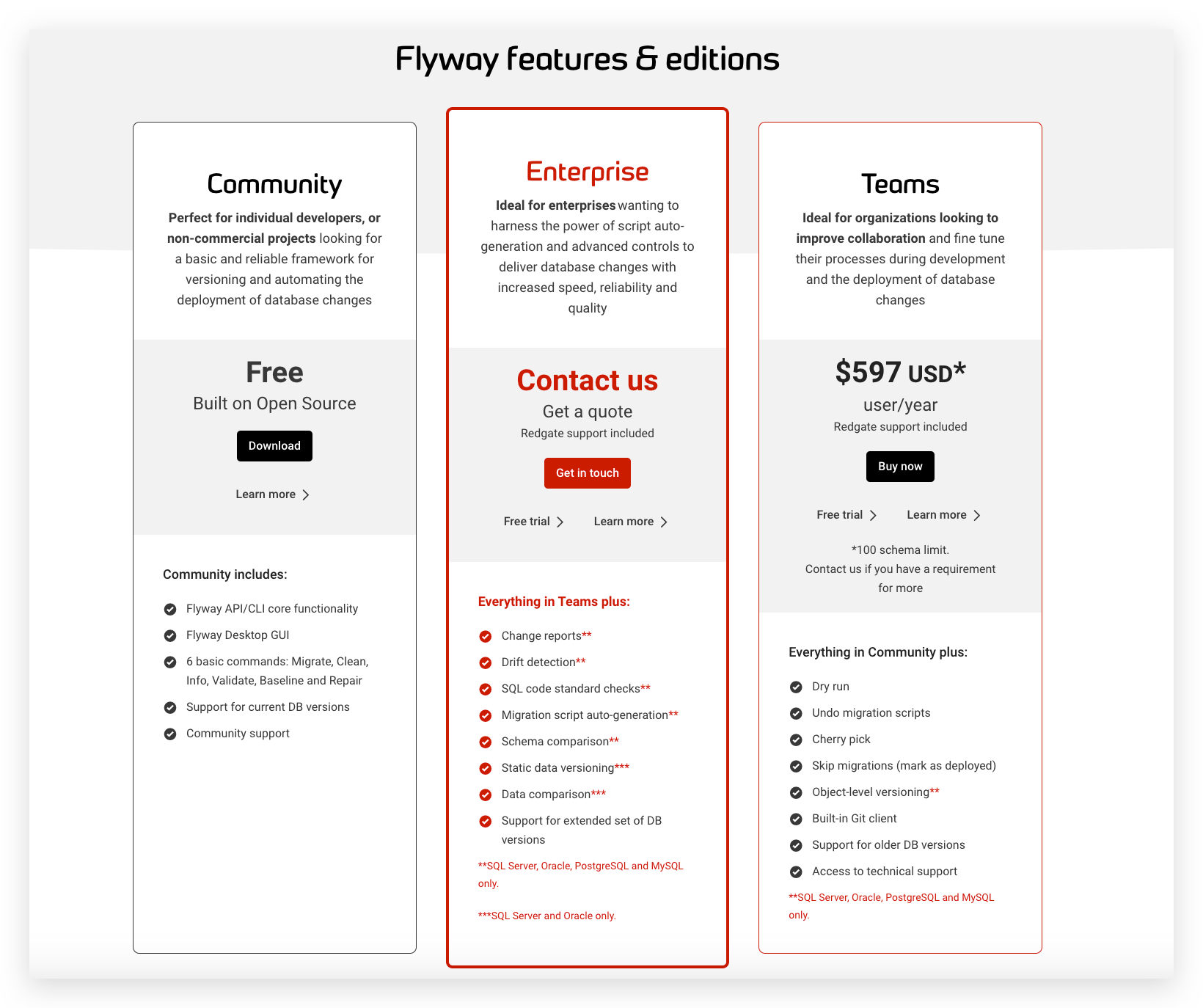
For more information, refer to the official documentation: Supported Data Types and Versions (opens new window)
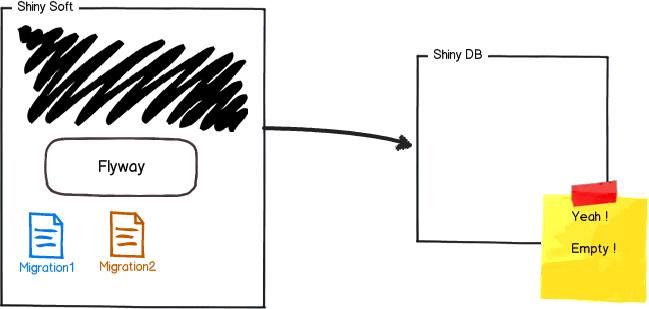
# Differences Between Flyway Community, Team, and Enterprise Editions
# Main Features
- SQL/JAVA-based changes
- Repeatable changes
- Revert changes
- Callback
- Batch changes
- ...
# How It Works
Initialization Process
- Use flyway to take over empty database: flyway a table with Schema metadata in the corresponding database flyway_schema_history the (non-empty database needs to be used baseline command for initialization)
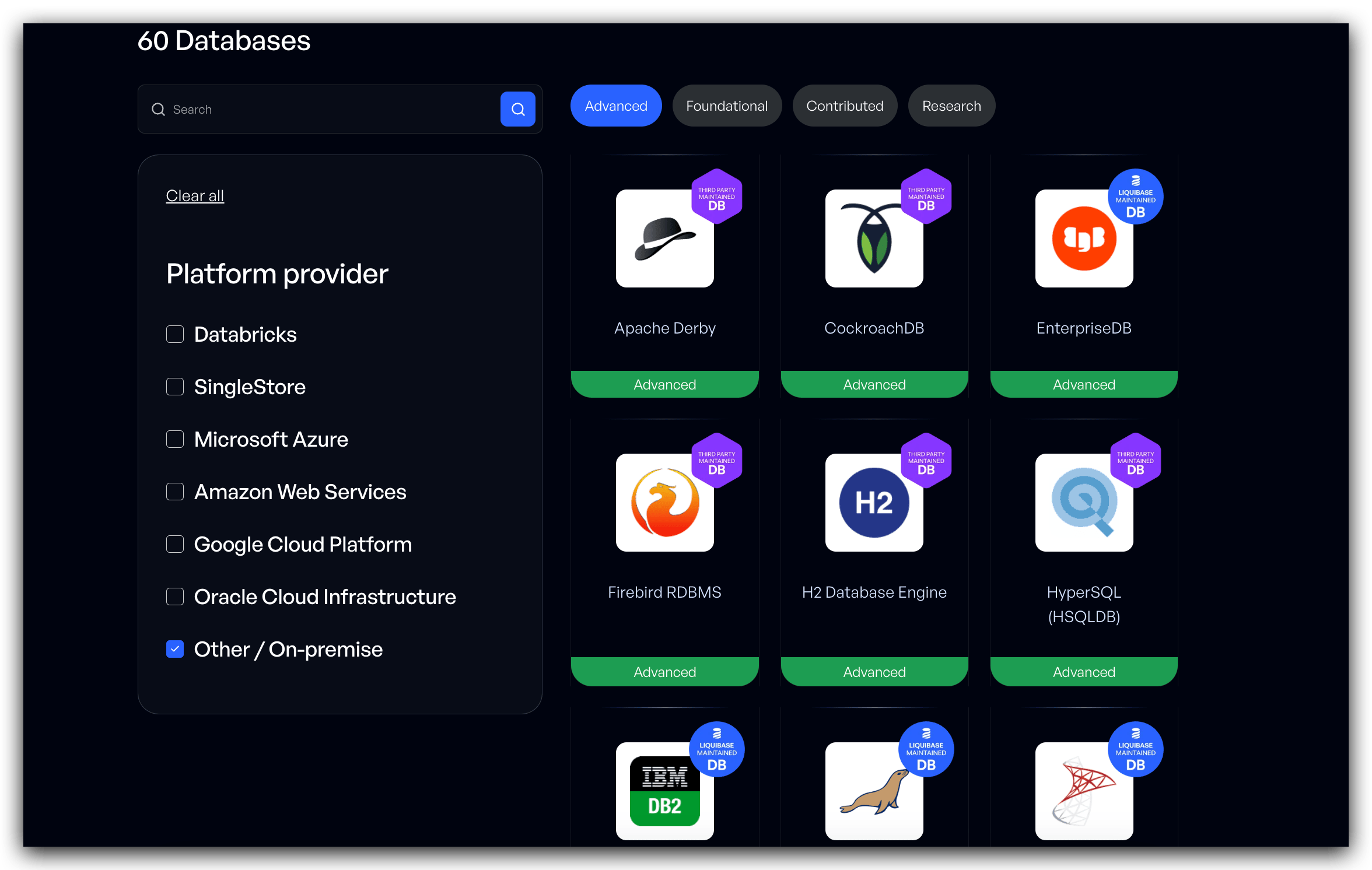
- Flyway starts scanning the file system or application classpath for changes, which can be written in SQL or Java. It executes changes in sequence based on the version number.
- flyway_schema_history records each change's metadata.
New Version Change Process
- Flyway scans the file system or application classpath for changes. Changes with versions less than or equal to the current database version are not executed. The remaining versions are the ones that can be executed
- Execute in version order
- Update the schema change record table
In other words, each time there is a change, you only need to add a higher version change file, and Flyway will execute it.
# Combining with Zadig
- SQL change files are stored in the Git code repository
- New SQL changes are submitted as PRs to the code repository
- Automatically trigger Zadig workflow execution flyway migrate
- Changes to databases in different environments can be distinguished using different flyway.conf
# Liquibase
Liquibase (https://www.liquibase.org/ (opens new window)) is an open-source database refactoring tool used to track, manage, and apply database changes. It saves all database changes (including structure and data) in a changelog file for easy version control. Its goal is to provide a database type-independent solution by executing schema-type files.
# Supported Database Types
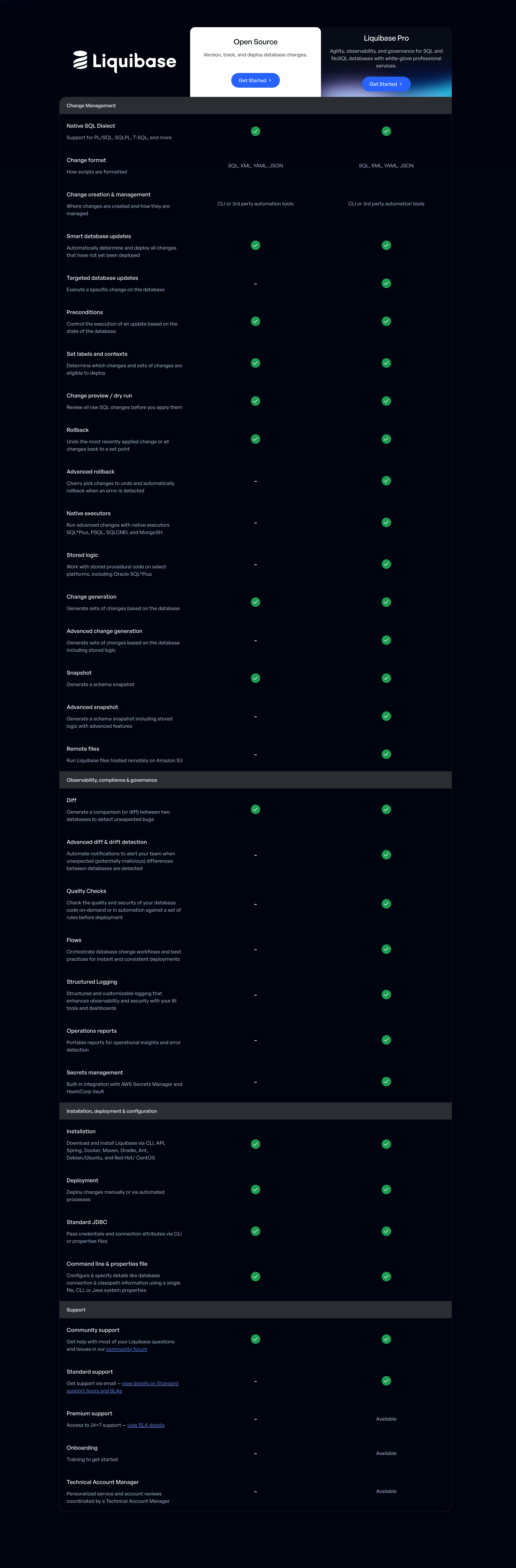
For more information, refer to the official documentation: Supported Data Types and Versions (opens new window)
# Differences Between Liquibase Community and Enterprise Editions
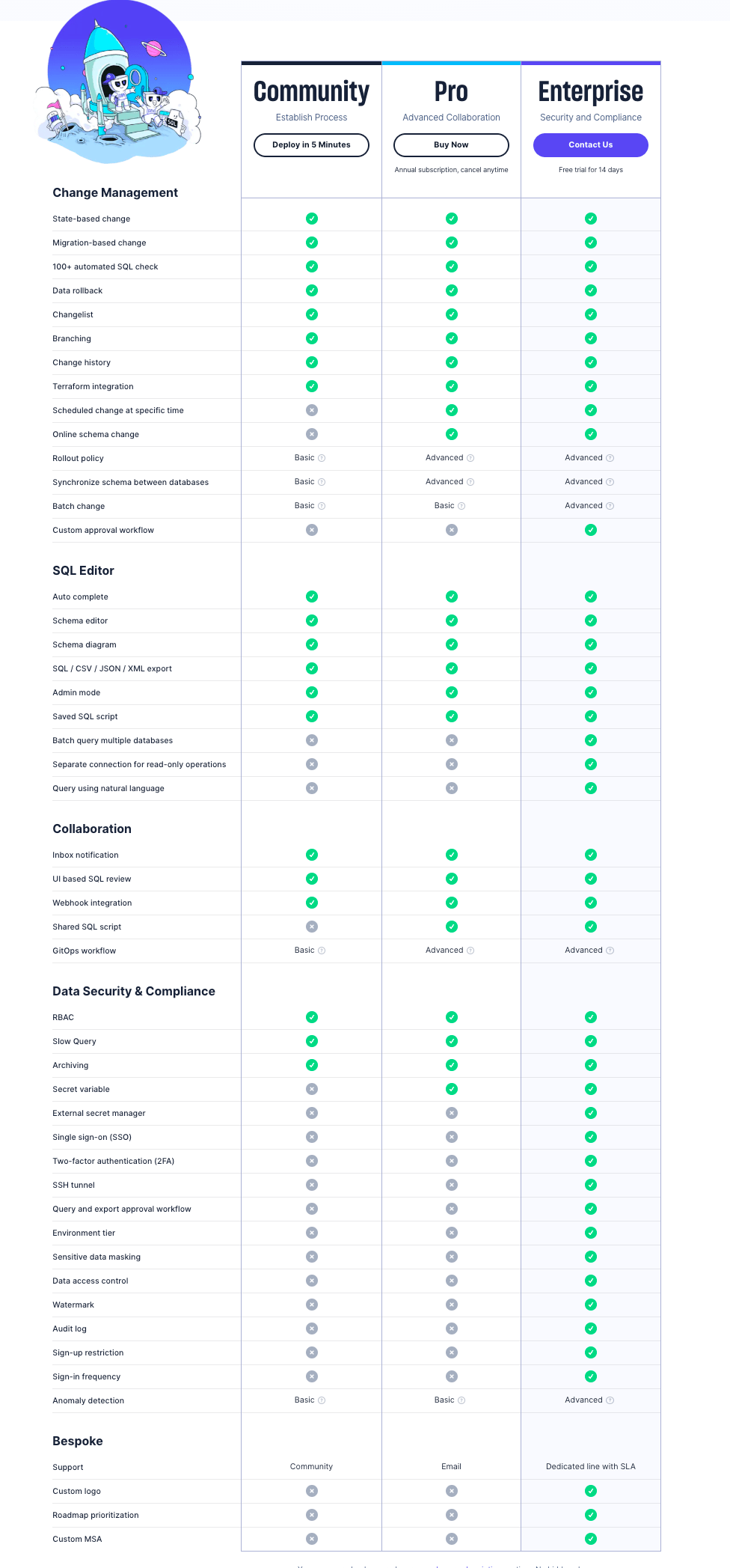
# Main Features
- Flexible schema changes: supports SQL, XML, JSON, and YAML languages
- Automatically generates reviewable SQL scripts
- Supports repeatable and non-repeatable changes
- Integration and extensibility
- Automatically or through custom rollback SQL to undo database changes
- Use context and prerequisites to fine-tune script execution
- Liquibase Hub real-time monitoring and observability
# Combining with Zadig
- SQL change files are stored in the Git code repository
- New SQL changes are submitted to the code repository
- Automatically trigger Zadig workflow execution liquibase update
- Changes to databases in different environments can be distinguished using different liquibase.properties
# Bytebase
Bytebase (https://www.bytebase.com/ (opens new window)) is an open-source DevOps tool for the full lifecycle management of application development and DBA, handling schema (DDL) and data (DML) changes.
# Supported Database Types
- OLTP: MySQL, PostgreSQL, Oracle, SQL Server, MariaDB
- OLAP: ClickHouse, Snowflake
- NewSQL: TiDB, OceanBase, Spanner
- NoSQL: MongoDB, Redis
For more information, refer to the official documentation: Supported Data Types and Versions (opens new window)
# Differences Between Bytebase Community, Team, and Enterprise Editions
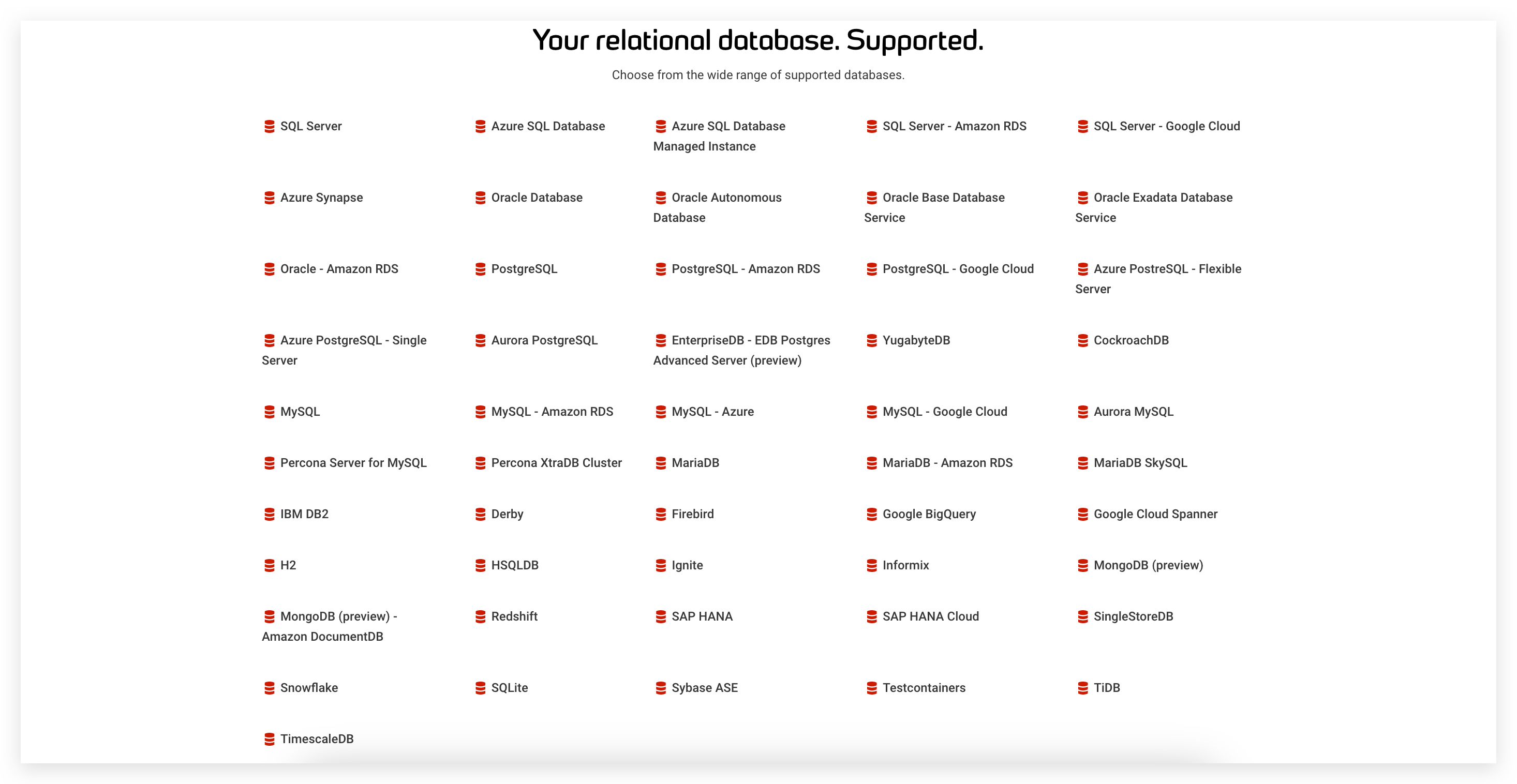
# Main Features
- Schema and data change audit pipelines
- SQL quality checks
- SQL editor
- Schema change records and version control
- GitLab and GitHub-hosted schema change files trigger change pipelines (GitOps)
- Message integration with IM tools such as Feishu, DingTalk, Qiwei, Slack, etc
- Backup and restore
- Role-based access control
- Multi-tenant and multi-environment unified changes
# Combining with Zadig
Method 1: Integrate Bytebase bb CLI in Zadig, which can be used as a dependency package/form into a custom build image in Zadig
- SQL changes are stored in a Git repository
- New SQL changes are committed to the code repository
- Custom trigger Zadig workflow execution bb migrate
- Different environments are distinguished by passing different variables to the command line
Method 2: Develop a "Bytebase Data Change" task with the powerful expansion capabilities of Zadig custom workflows. Refer to the document: [Custom Workflow Tasks] | Zadig document]( https://docs.koderover.com/zadig/settings/custom-task/ )
- Trigger the Zadig workflow to automatically create a "Bytebase Data Change" ticket
- DBA performs work order approval on the interface, and the approval is completed and executed
- The workflow receives callback information and continues to perform business changes
# Alibaba DMS
DMS (https://www.aliyun.com/product/dms (opens new window)) is a data management service that integrates data management, structure management, user authorization, security audit, data trends, data tracking, BI charts, performance optimization, and server management.
# Supported Database Types
- MySQL
- SQL Server
- PostgreSQL
- MongoDB
- Redis
- PolarDB-X (formerly DRDS)
- OceanBase
- PolarDB
- AnalyticDB
- DLA Data Lake Analysis
- ClickHouse
- MariaDB
- PPAS
- MaxCompute
- Cassandra
- Lindorm
- GDB
# Main Features
- Unified management of data assets
- Data security (permission control, sensitive information protection, compliance audit support)
- Database design and development
- Data transmission and processing
# Combining with Zadig
- Operation of data on DMS needs to be completed through work orders, so first, we use the powerful expansion capabilities of Zadig custom workflow to develop a "DMS data change work order". Reference Document: Custom Workflow Tasks | Zadig document
- Trigger the Zadig workflow to automatically create a "DMS Data Change Work Order"
- DBA performs work order approval on the DMS interface, and the approval is completed and executed
- The workflow receives callback information and continues to perform business changes


