
In today's digital age, efficient and flexible workflow management is crucial for enterprise software development. The Zadig workflow engine, with its outstanding variable processing capabilities, provides enterprises with a powerful tool to handle complex and dynamic development scenarios.
This article will delve into the concepts and principles of Zadig workflow variables and, through practical application scenarios, demonstrate how to use these variable mechanisms to achieve workflow automation and optimization.
# Basic Concepts and Principles
Zadig workflow variables are one of the core functions of the workflow engine, endowing workflows with the powerful ability to configure and automate execution flexibly. By supporting multiple types of variables and rich variable value sources, Zadig can effectively address the challenges of parameter passing and sharing in complex workflow scenarios.
Zadig supports various types of variables, including but not limited to:
- String: Used to store simple text information.
- Single Choice: Provides a set of predefined options, from which users can select only one.
- Multiple Choice: Allows users to select multiple values from multiple options.
- Dynamic Variables: Variables generated dynamically based on the runtime context.
- Codebase: Variables associated with the code repository for version control and code management.

Additionally, Zadig provides various sources of variable values to meet the needs of different user scenarios:
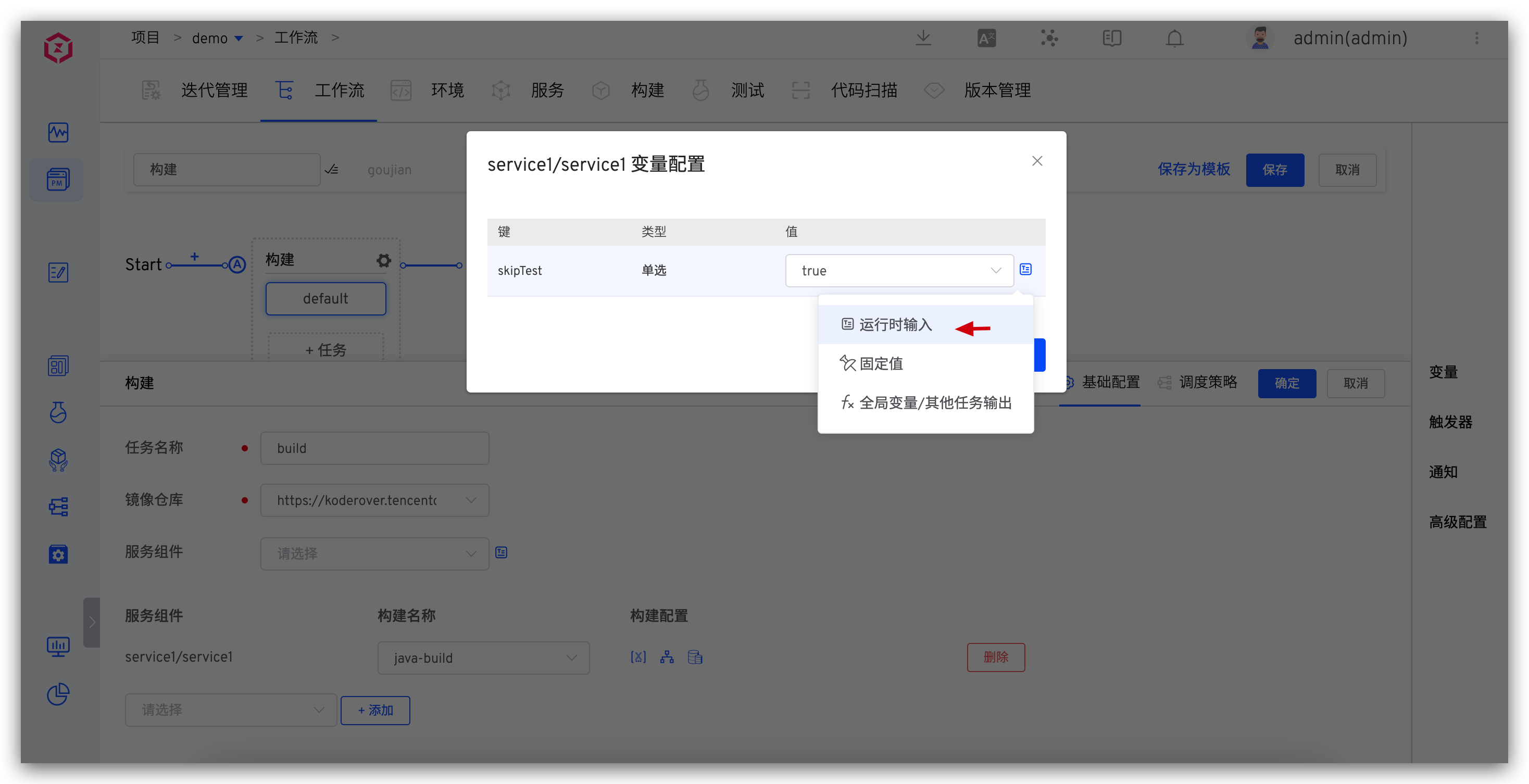
- Runtime Input: When executing a workflow, users can specify variable values, thereby dynamically adjusting the workflow execution parameters according to different execution requirements. This allows the workflow to be flexible in responding to varying execution scenarios.
- Fixed Value: When configuring a workflow, users can specify a fixed variable value, which cannot be changed during execution. This ensures the stable execution of the workflow and is suitable for parameters that remain constant.
- Output of Other Tasks / Global Variables: When executed, variable values are automatically obtained from global variables or outputs of other tasks, enabling variable transmission between different tasks, breaking down barriers between tasks, and ensuring smooth information flow throughout the entire workflow.
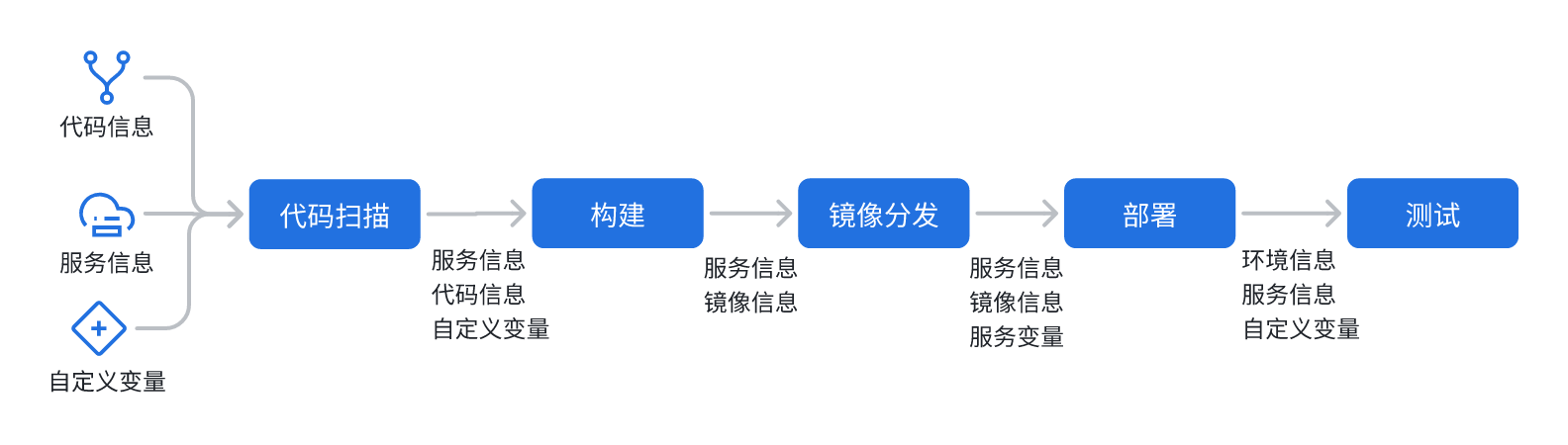
Variables can be passed between tasks (as shown). Each task's input can come from preceding tasks, ensuring the continuity and consistency of information in the workflow, thus supporting an automated workflow.
# Usage Scenarios
# Runtime Input Scenario
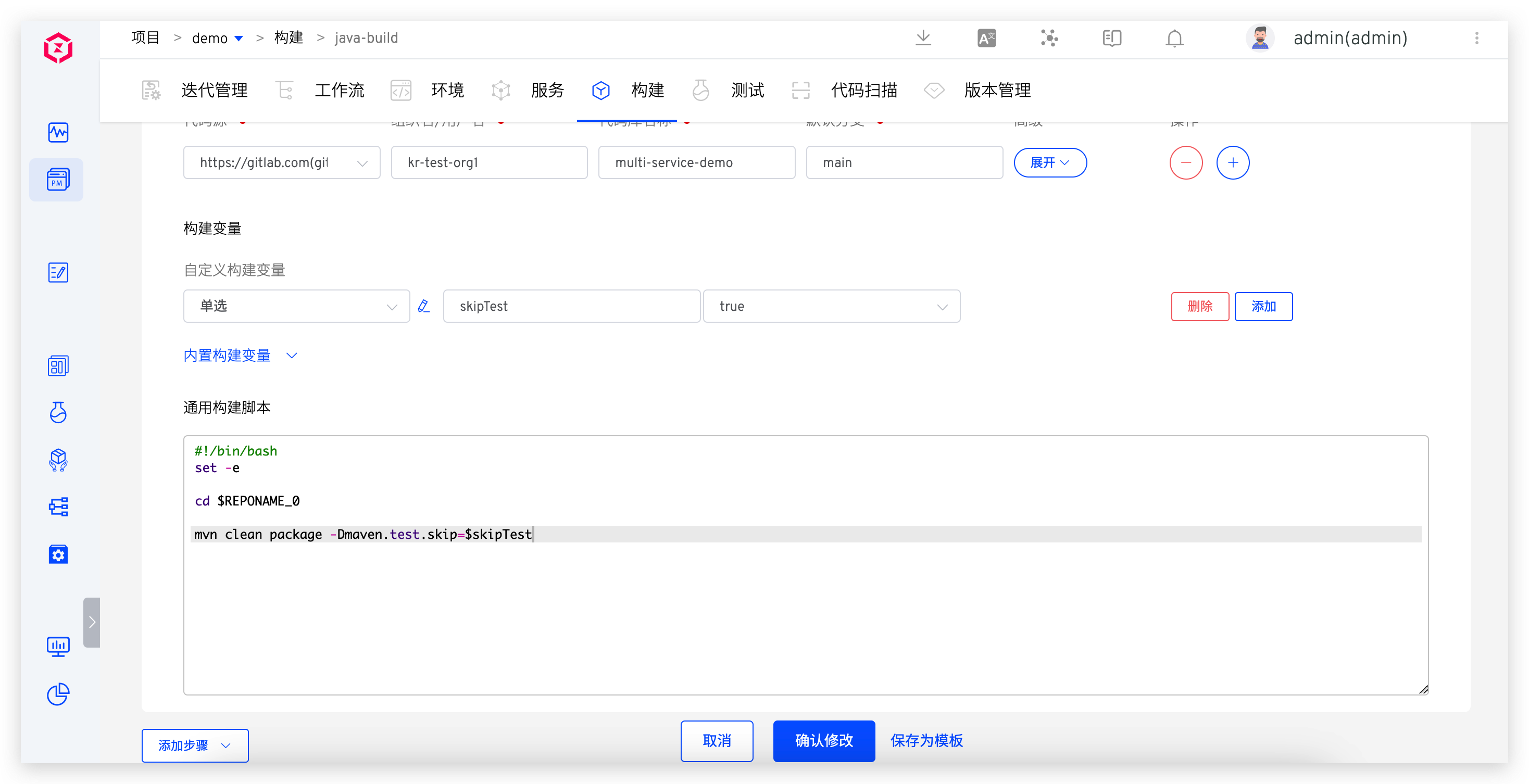
When executing a workflow, different variable values may need to be input for each execution. For example, when building a Java service, you can choose whether to execute the test process. This is typically achieved by modifying the Maven property -Dmaven.test.skip=true to control whether to skip the test phase. For such scenarios, the specific configuration steps on Zadig are as follows:
- Declare and reference the custom variable
skipTestin the build task - Configure the build variable
skipTestin the workflow with the source set to运行时输入and the default value set totrue
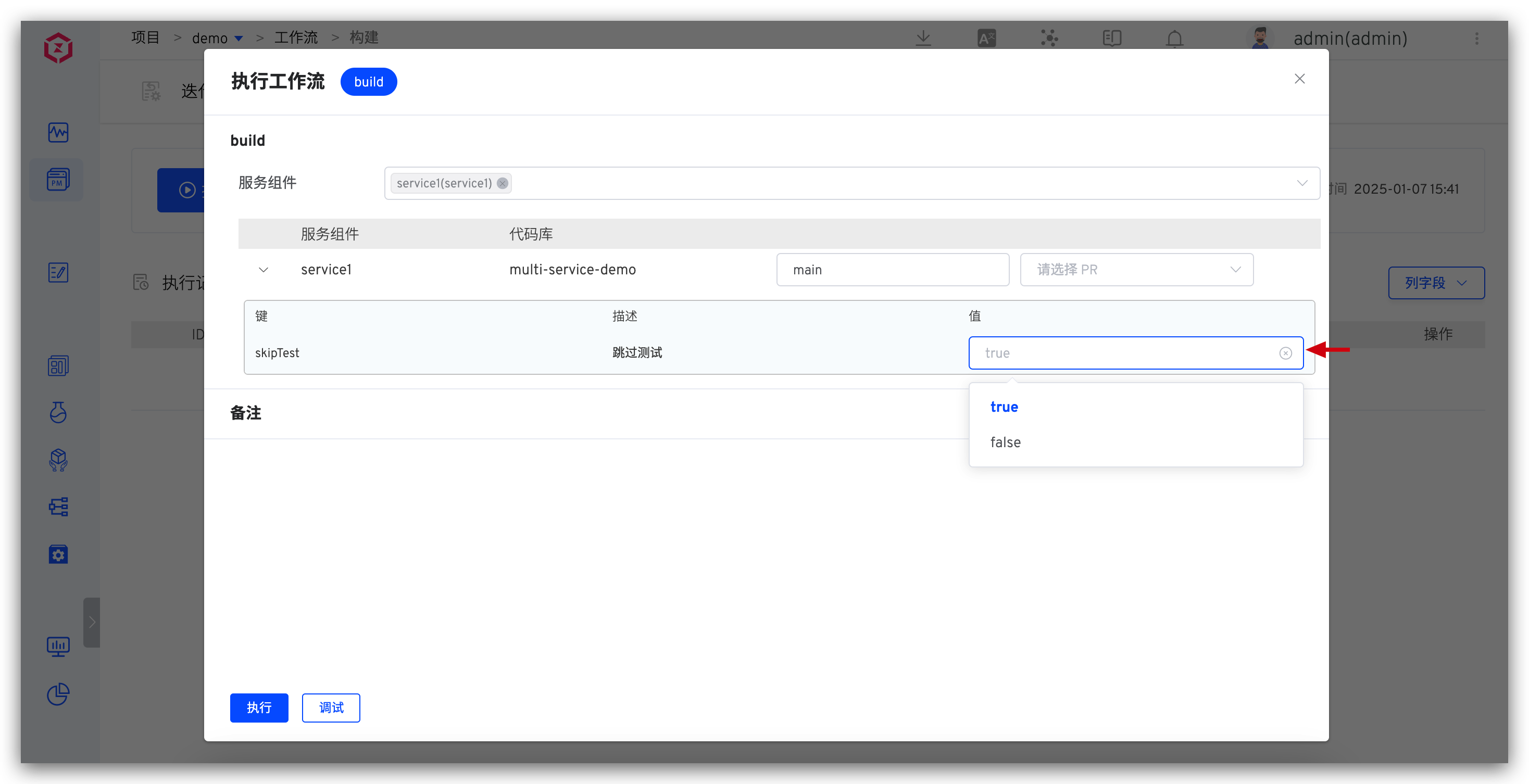
When executing the workflow, you can input or select the corresponding variable value based on the actual situation to meet different execution requirements and scenarios.
# Workflow-Specified Variable Value Scenario
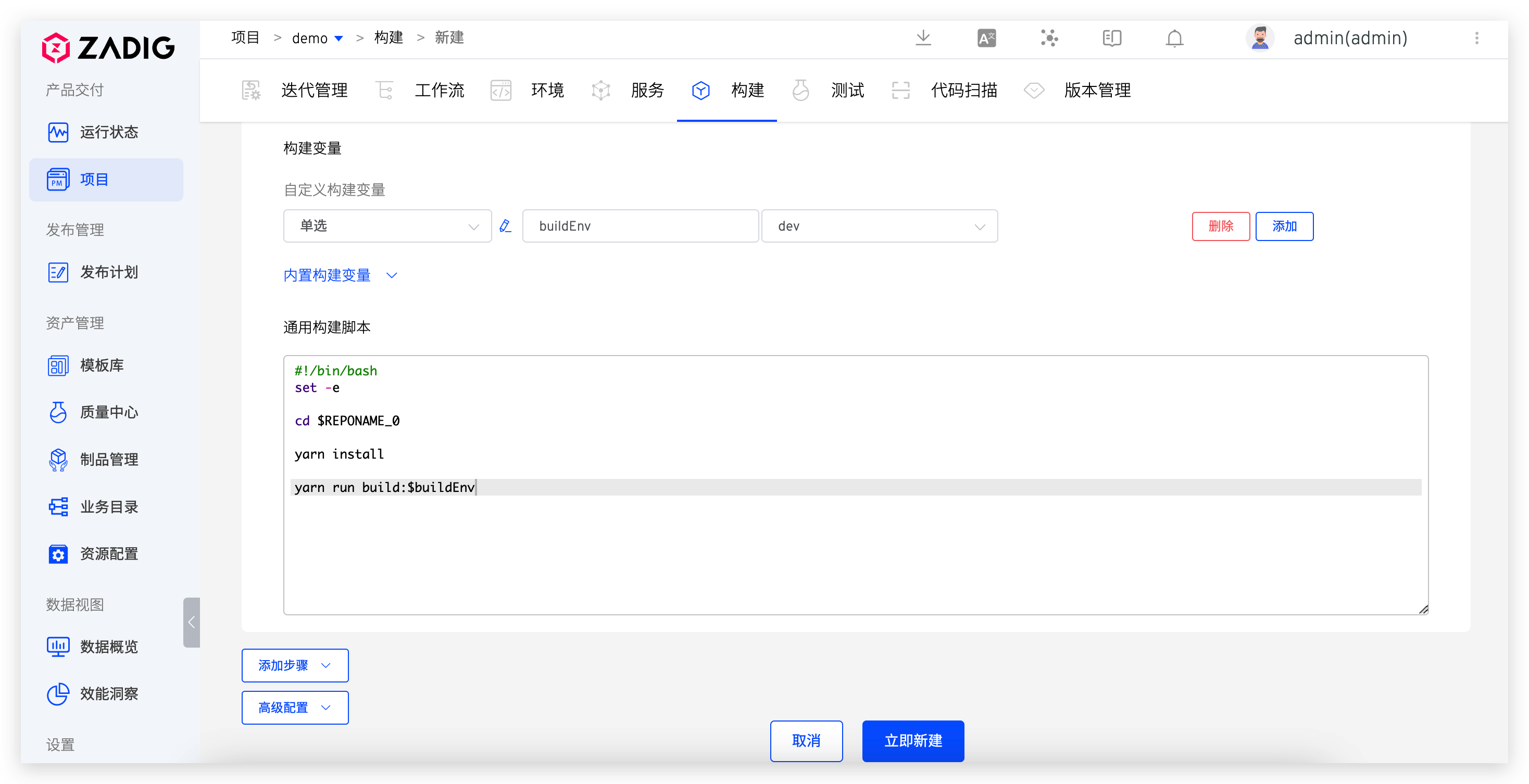
To reduce the maintenance burden of build scripts, Zadig supports multiple workflows using the same build configuration. However, there are some differences in build execution commands for different workflow scenarios. For example, a frontend project distinguishes between development and production environments in the build command, using yarn run build:dev in the development workflow and yarn run build:prod in the production release workflow. For such scenarios, the specific configuration steps on Zadig are as follows:
- Declare and reference the custom variable
buildEnvin the build - Configure the build variable source in the workflow to
固定值and set the variable value
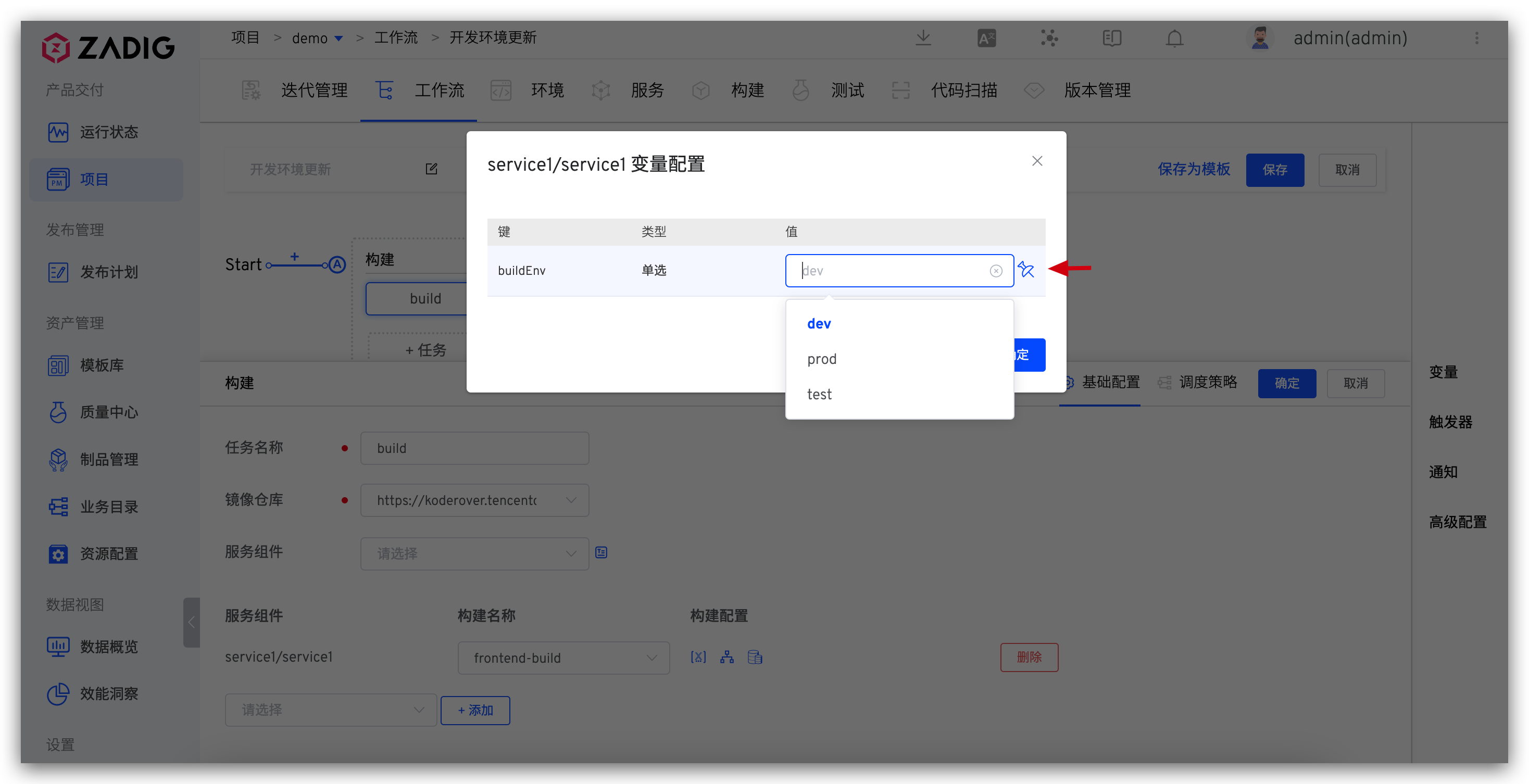
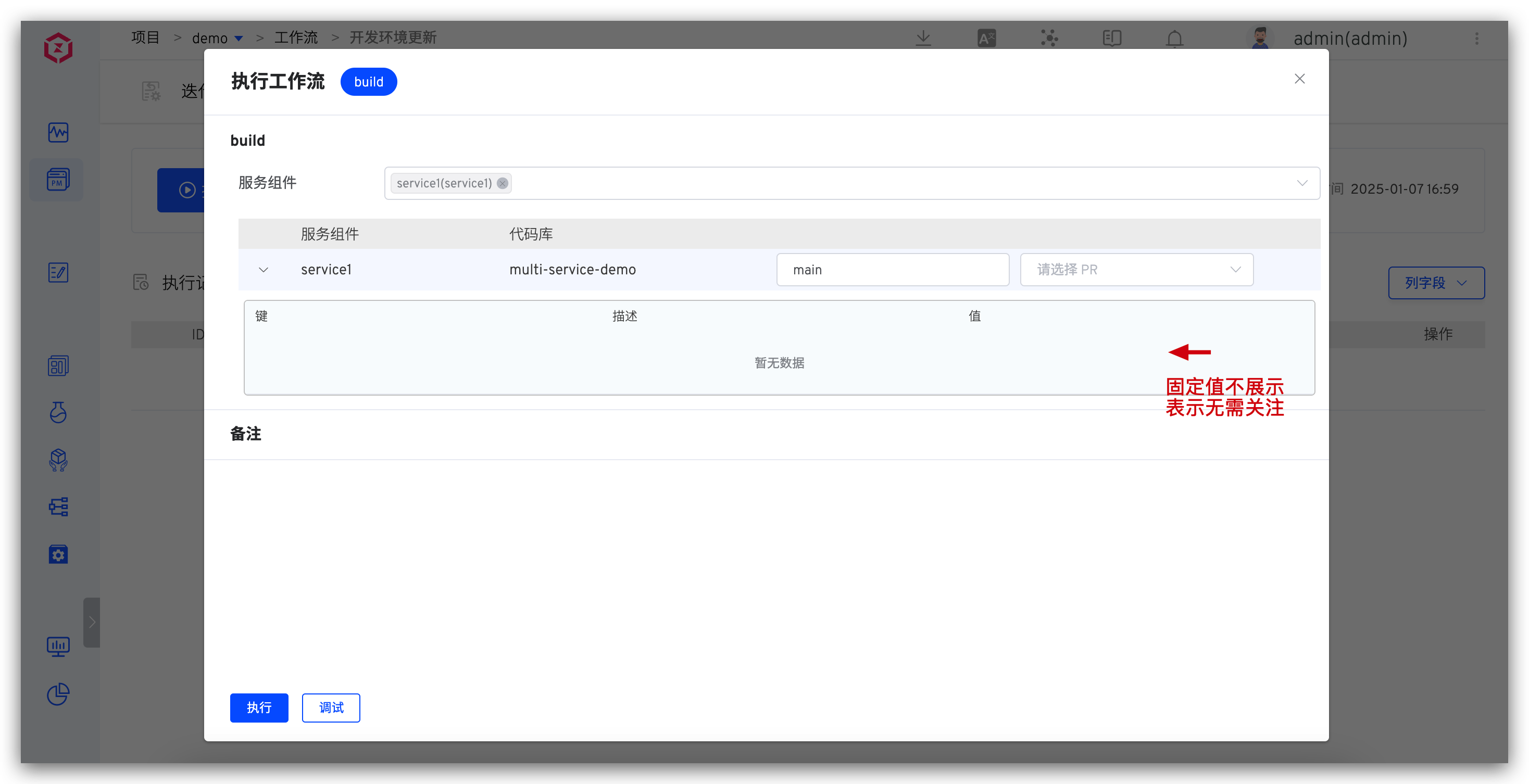
When executing the workflow, fixed-value variables are not displayed in the task variables, simplifying the operation process and reducing the number of parameters that engineers need to pay attention to each time they execute a task.
# Variable Transfer Scenario
# Custom Build Image Name
Custom Image in Build Scripts
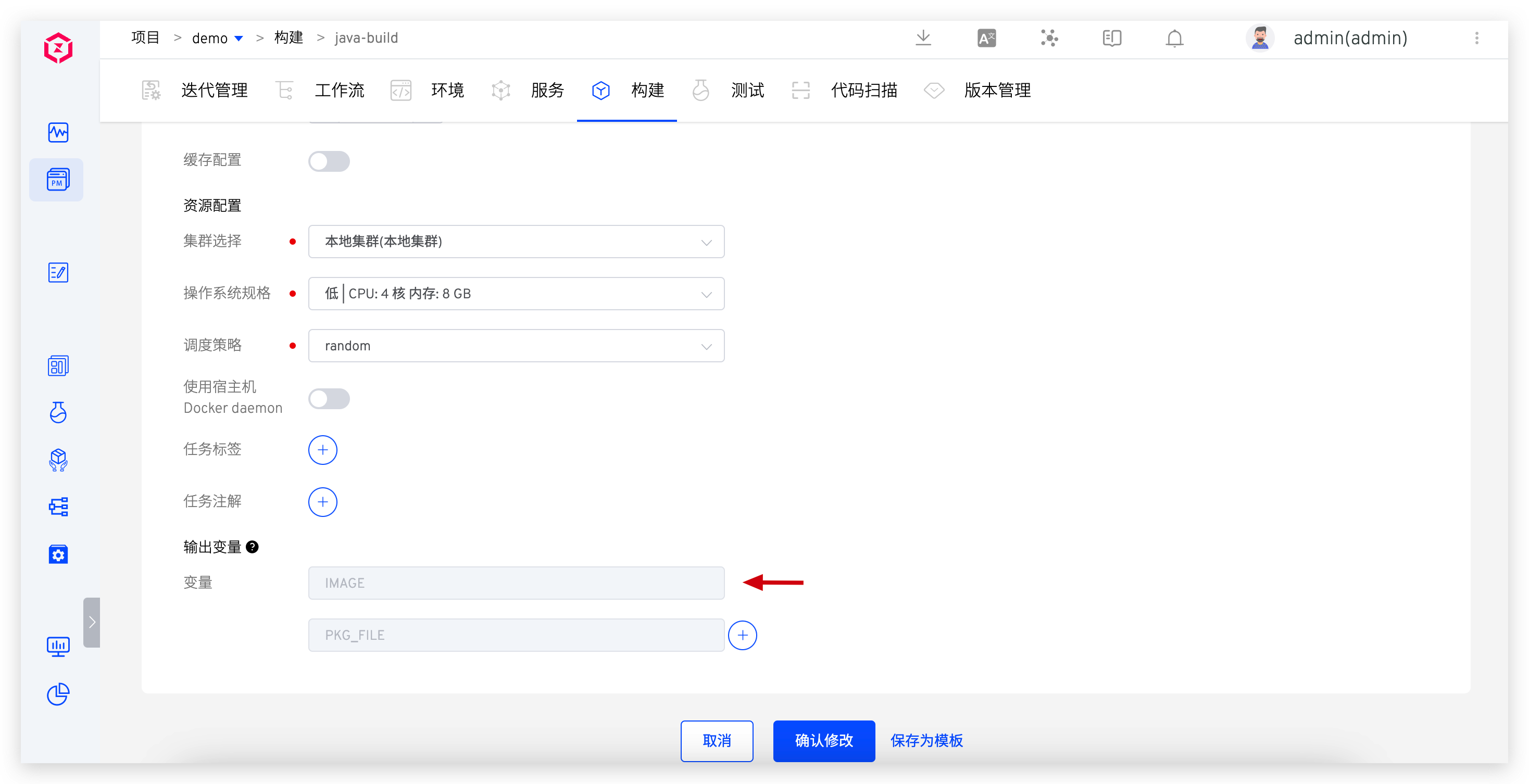
Zadig has a built-in set of standard image naming rules, but in practical applications, some special scenarios require custom image names. In the Zadig build module, you can set the IMAGE value to achieve a custom image name. The specific configuration steps are as follows:
- Generate the complete image address in the build script.
- Assign the generated image address to the IMAGE variable.
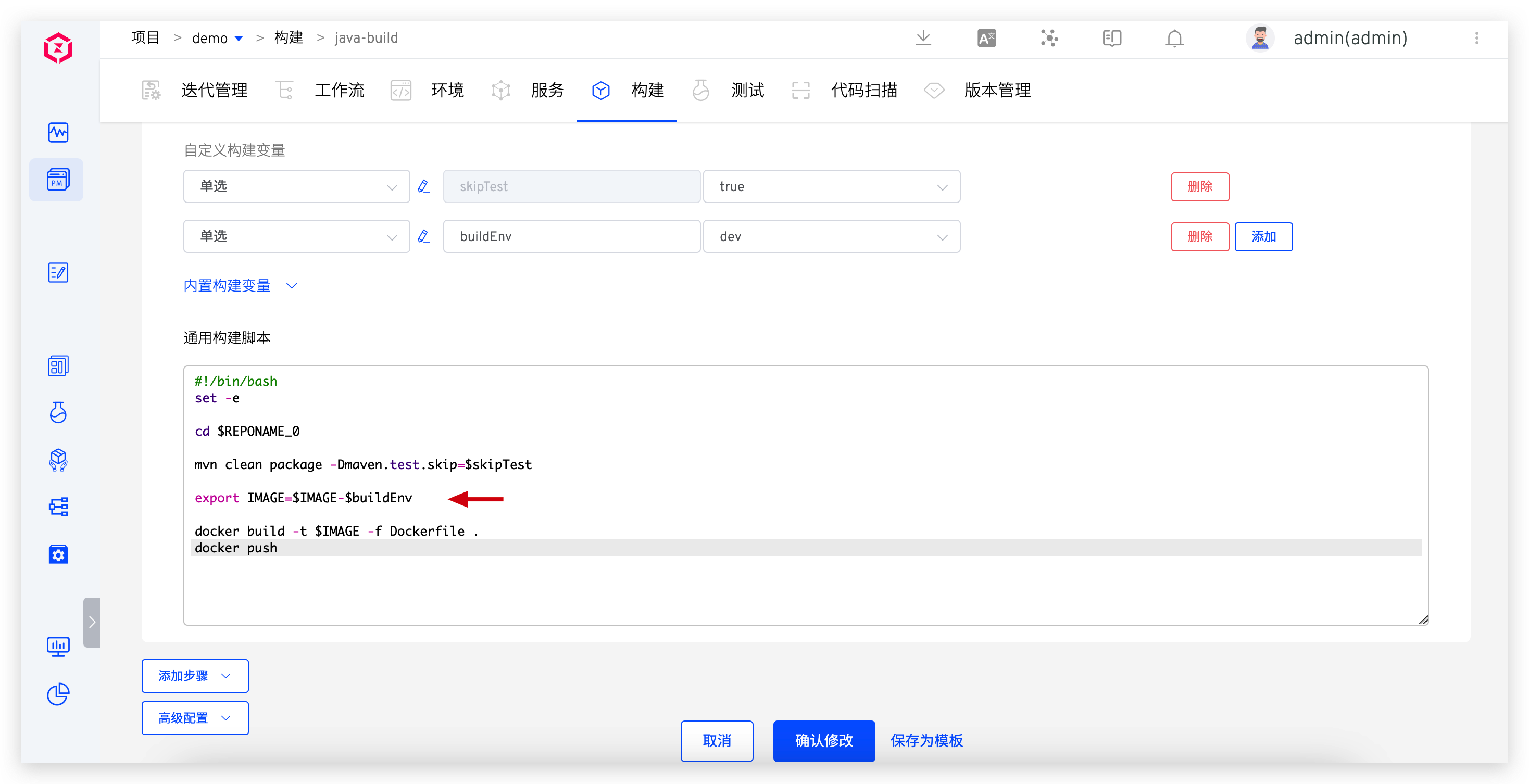
When executing the workflow, the IMAGE variable output by the build task can be passed to downstream tasks. For example, the deployment task can obtain the IMAGE variable value from the upstream build task, ensuring the accuracy of the deployment task execution.
# Automated Testing Environment Linkage
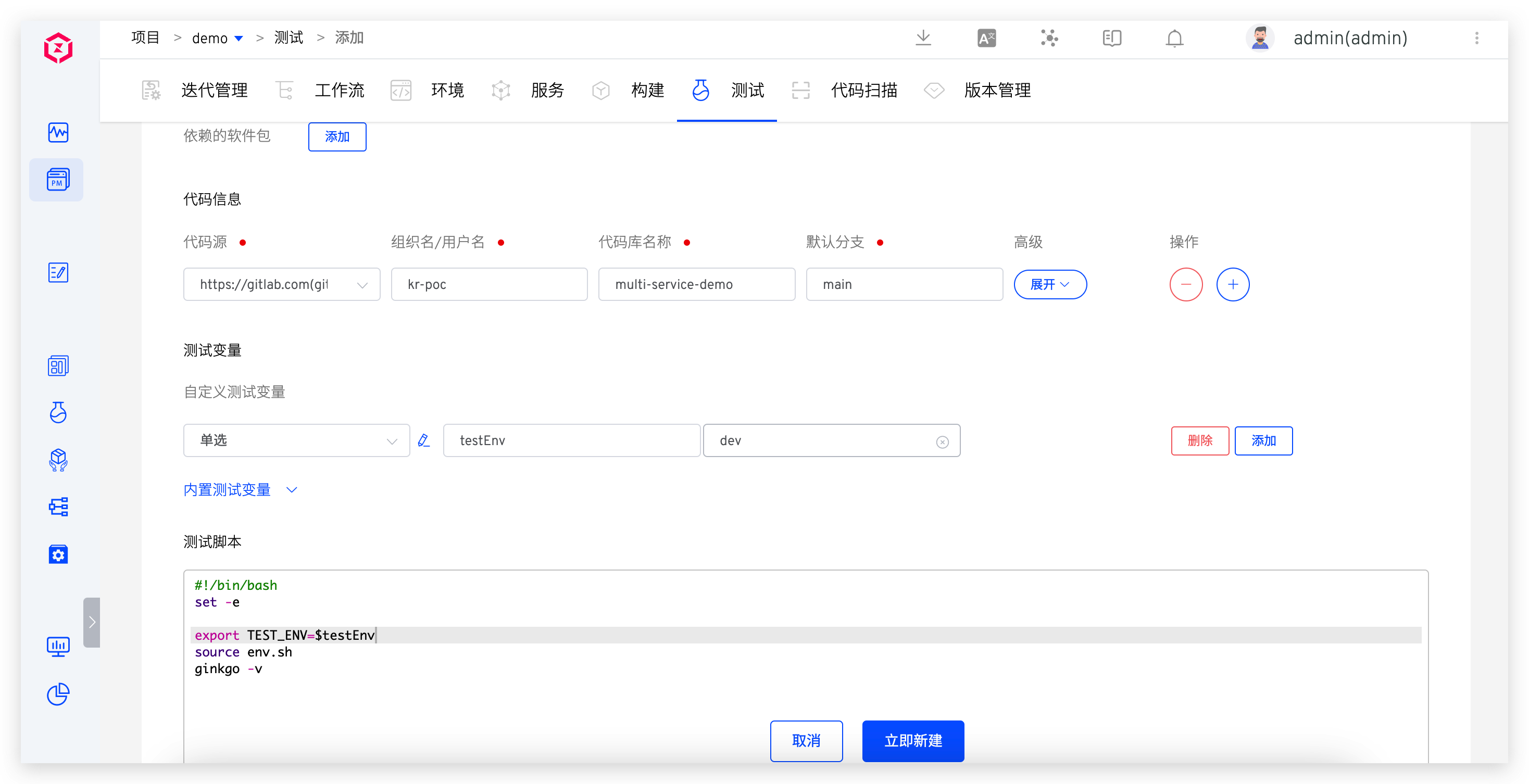
When performing automated tests, environment information is usually required as an input parameter for test execution. To achieve the entire "build" -> "deploy" -> "test" process, the test task must be able to obtain the environment information from the deployment phase. For such scenarios, the specific configuration steps on Zadig are as follows:
- Declare and reference the custom variable
testEnvin the test task - Configure the test variable
testEnvin the workflow with the source set to "其他任务输出" and select the variable{{.job.deploy.output.envName}}from the deployment task output.
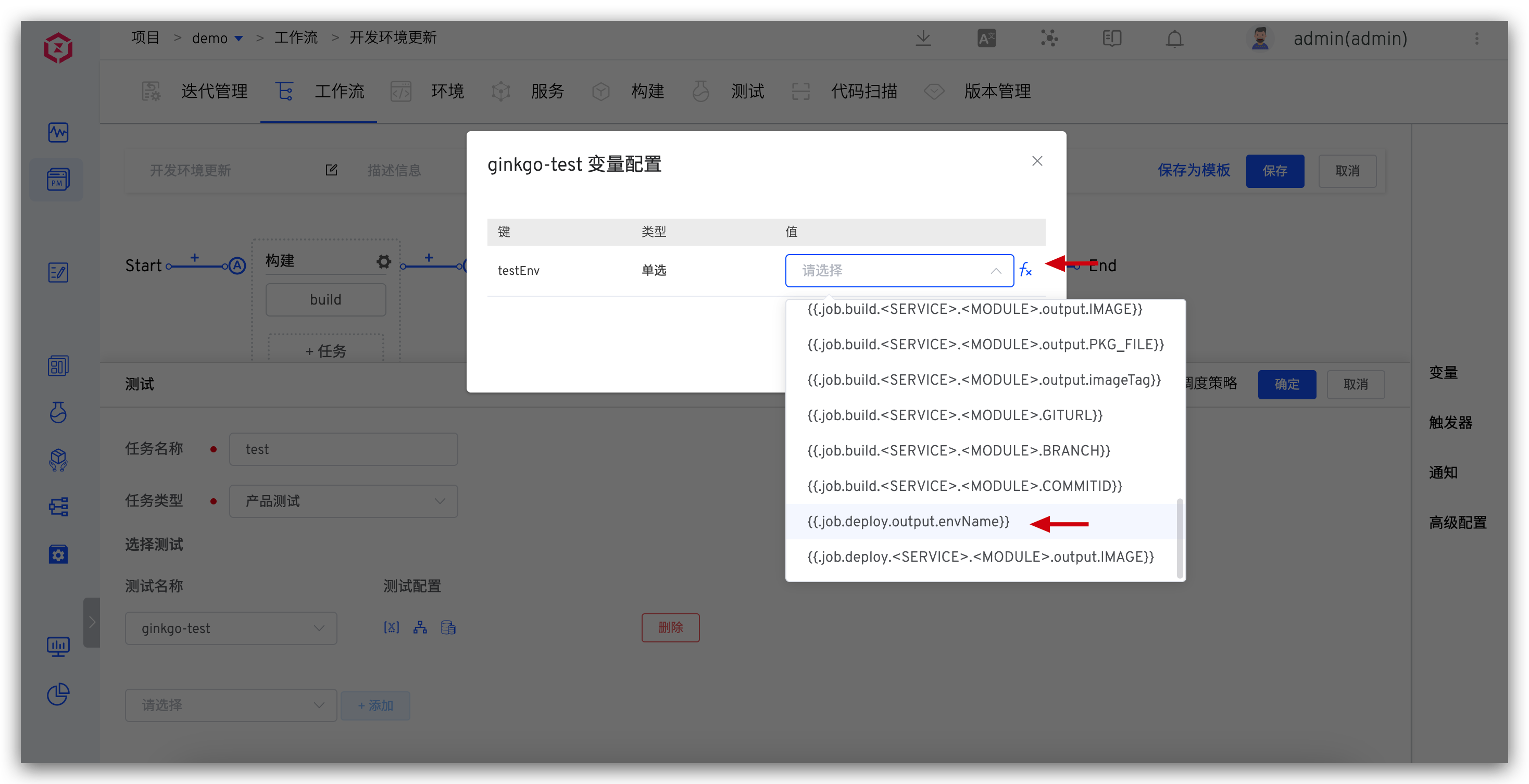
When executing the workflow, the deployment task will pass the envName variable to the test task. This linkage mechanism ensures the accuracy of the test environment and the reliability of the test results.
# Code Information Transfer from Code Scanning to Build Steps
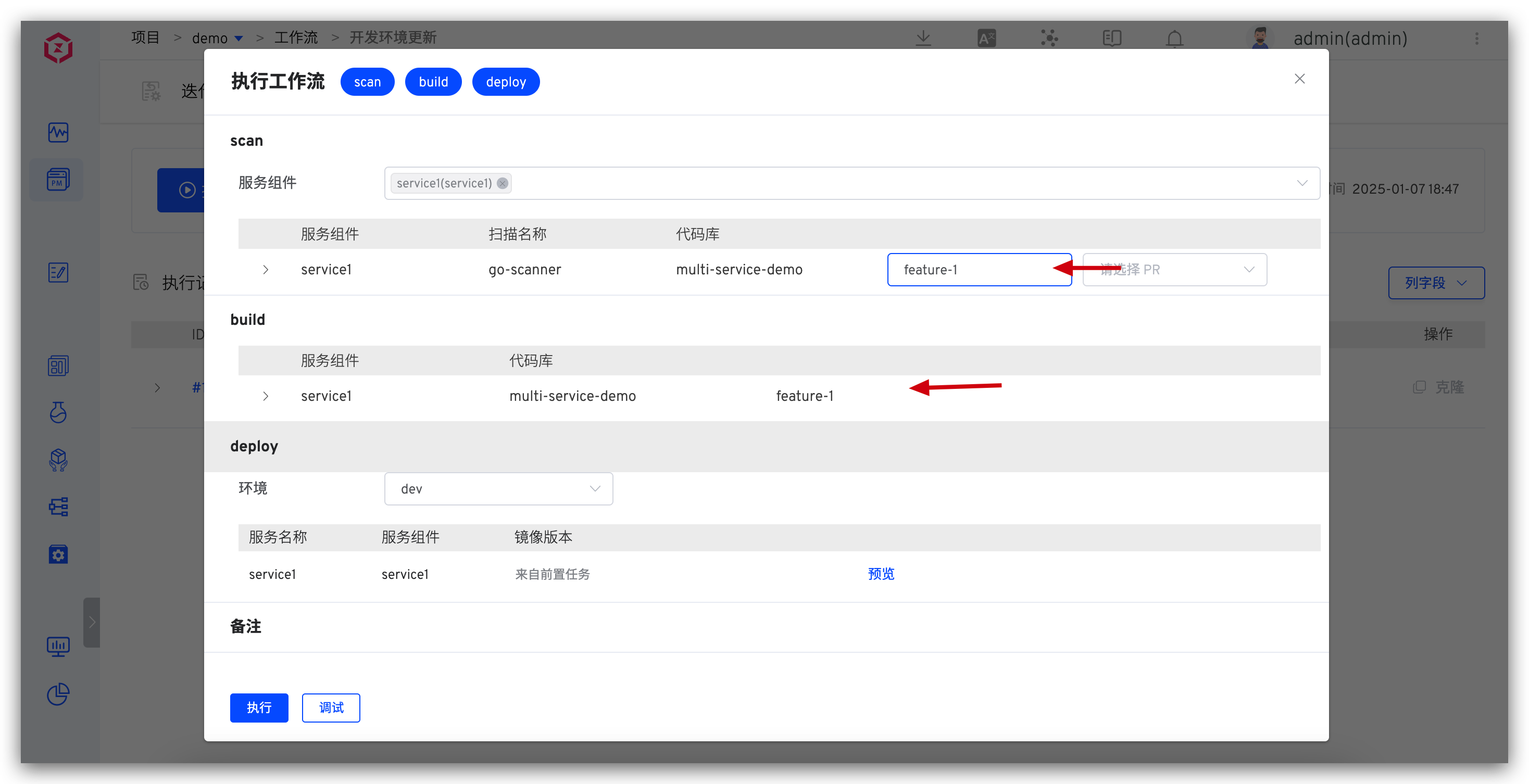
In the process of "code scanning" -> "build" -> "deploy", it is necessary to ensure that the code information used in the build is consistent with the code scanning. For such scenarios, the Zadig workflow supports the concatenation of code information between tasks. The specific configuration steps are as follows:
- Configure service-level code scanning tasks in the workflow.
- In the workflow build task, set the service component source to the preceding code scanning task and check "引用所选任务代码信息".
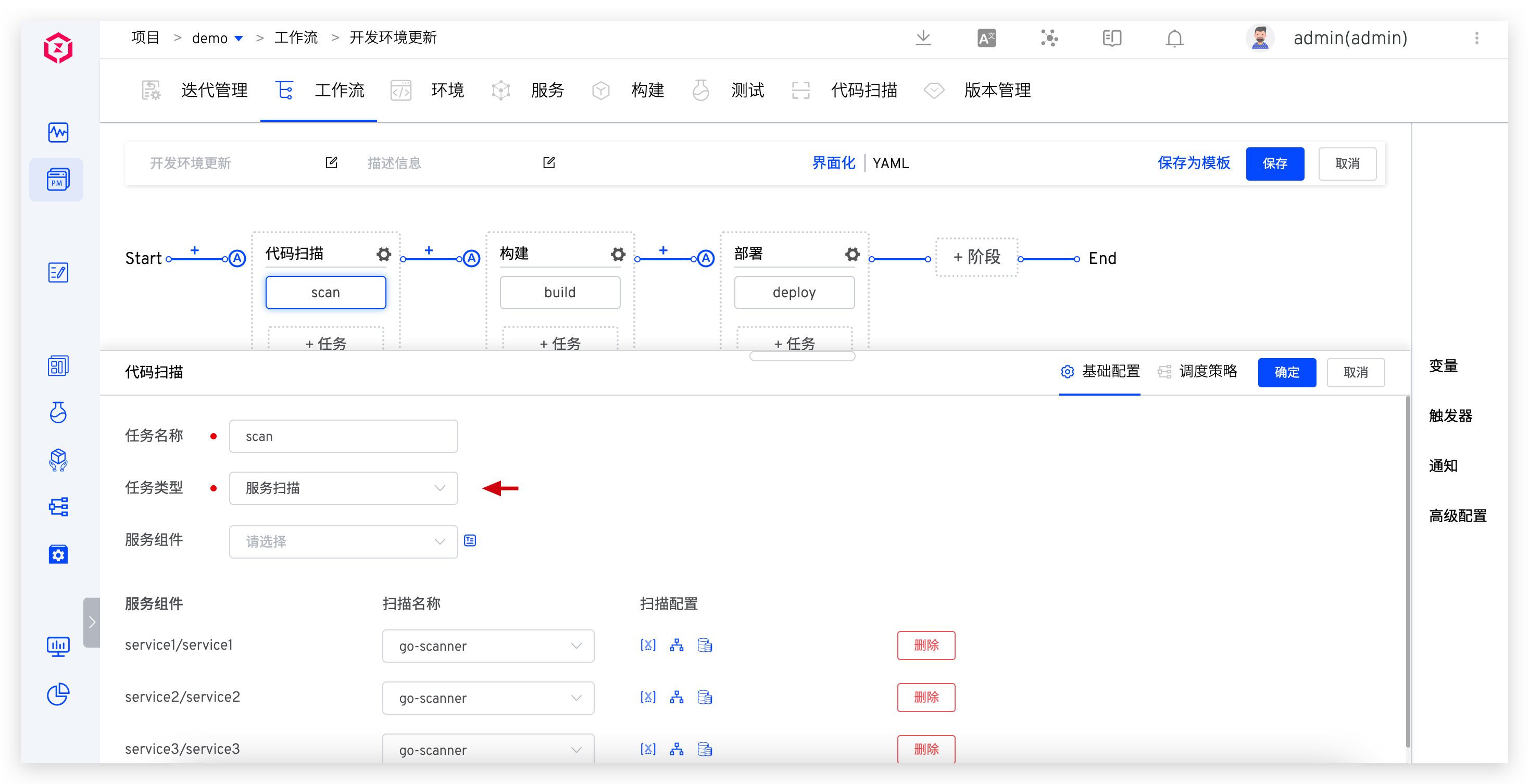
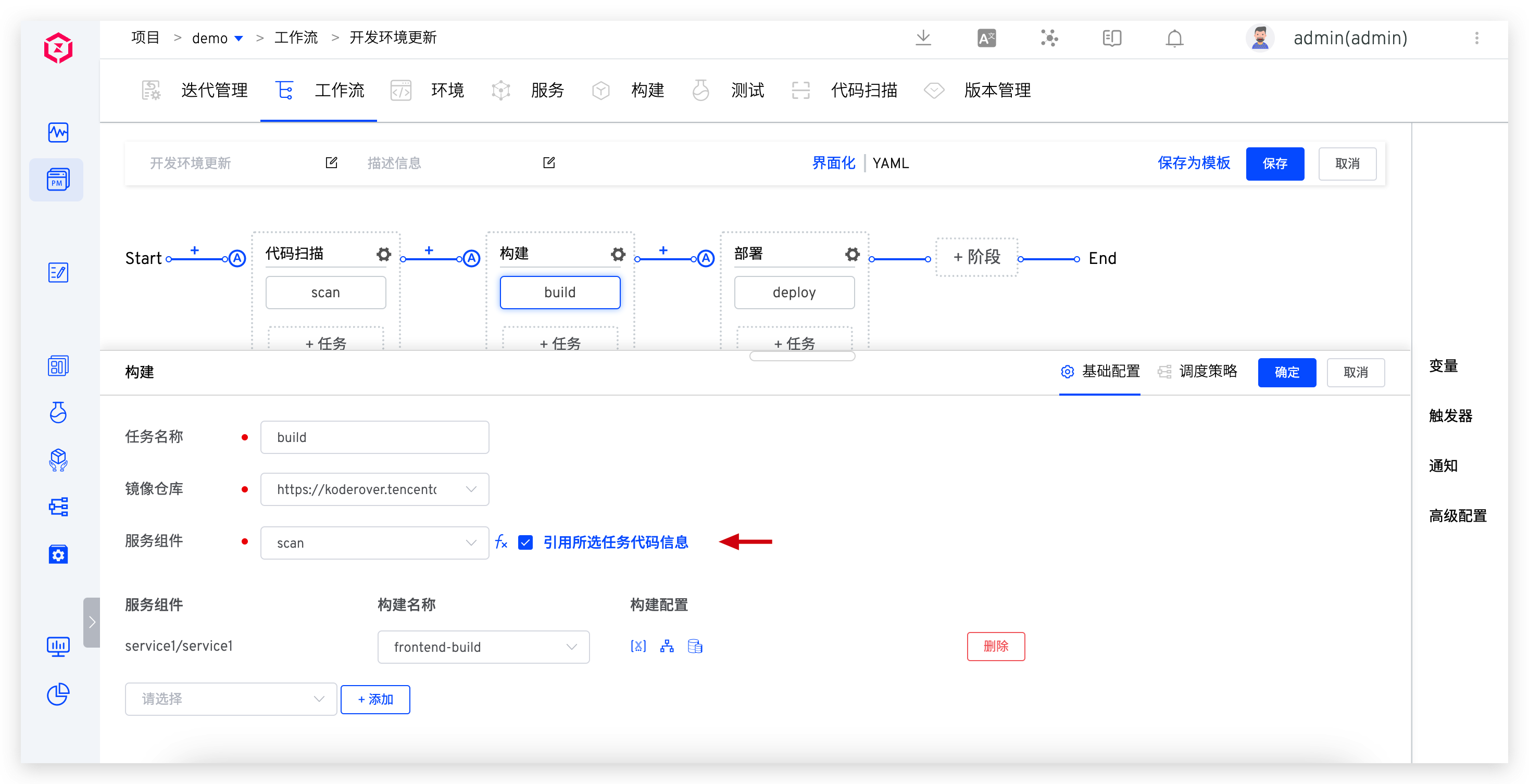
When executing the workflow, the branch, Pull Request, Tag, etc., used in the same codebase build are consistent with those selected in the code scanning task. This information transfer mechanism ensures code quality and consistency and simplifies the operations for engineers.
# Summary
The variable functionality of the Zadig workflow system provides powerful support for automated processes, making complex development, testing, and deployment processes more flexible and efficient. Through reasonable variable configuration and transmission, enterprises can better manage software development cycles, improve productivity and product quality. Whether it is a simple single-task workflow or a complex multi-task process, Zadig provides reliable solutions to help businesses remain competitive in a rapidly changing technology environment.


