# Analysis of the Current State of DevSecOps
DevSecOps is the abbreviation for "development, security, and operations." Its emergence stems from the pursuit of software development needs under agile and DevOps practices.
Shannon Lietz, co-author of the "DevSecOps Manifesto," explained: “The goal of DevSecOps is to establish a concept where everyone is responsible for security, aiming to quickly, securely, and at scale allocate security decisions to those with the highest level of context without sacrificing necessary security.”
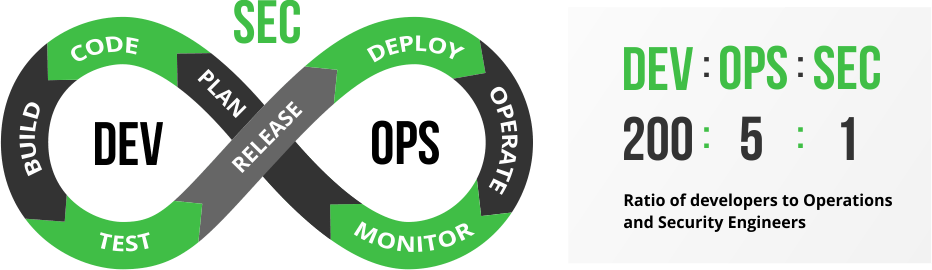
Currently, the ratio of developers, operations personnel, and security personnel is 200:5:1. This means that a smaller security team needs to review all security issues found by security vulnerability scanning tools, and this team may not have sufficient technical knowledge.
By orchestrating security and testing services into existing CI tools, issues can be identified early, helping to test security vulnerabilities or logic flaws in applications, microservices, and APIs, thereby reducing high costs and effort downstream. As more organizations adopt DevOps and DevSecOps, automation has become a crucial component in achieving efficiency and speed.
Zadig has the capability to manage the entire software development lifecycle and supports almost all security tools and services on the market. With its robust runtime environment and workflow capabilities, it provides strong support to security teams.
Zadig helps security teams shift security services and capabilities left to developers and operations teams, identifying security issues early and involving other roles in solving security and compliance issues, thus avoiding additional costs for fixing such issues.
# DevSecOps Practice Ideas
There are various security issues in the software development lifecycle, but they can be addressed through a variety of security and compliance tools. These tools include Static Application Security Testing (SAST), Software Composition Analysis (SCA), Dynamic Application Security Testing (DAST), and Interactive Application Security Testing (IAST) for testing code vulnerabilities. Additionally, there are tools that monitor container runtimes to protect binary files in production environments and prevent attackers from exploiting code or environment vulnerabilities. Teams should reasonably apply these methods throughout the entire software development lifecycle (SDLC) based on actual conditions.
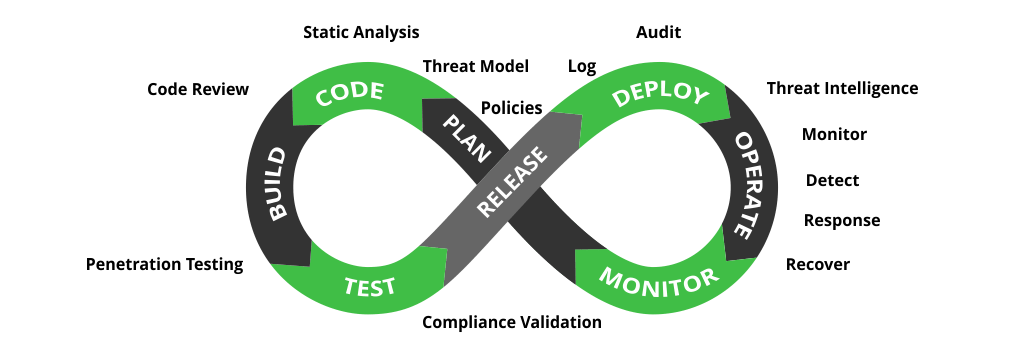
The picture is from [[ What is DevSecOps ]](https://www.jfrogchina.com/devops-tools/what-is-devsecops)
# Implementing DevSecOps with Zadig
Zadig supports almost all security tools and services on the market, such as Coverity, SonarQube, CleanSource SCA, DongTai, etc. Zadig can easily orchestrate these tools (products) into the entire delivery link, providing strong support to the production and research team through a strong runtime environment and customized workflow capabilities.
This case uses SonarQube, a representative tool in the SAST domain, and DongTai, a representative tool in the IAST domain, to present a real DevSecOps practice case, bringing tangible DevSecOps implementation to enterprises.
# Resource Preparation and Configuration
Administrators (such as operations engineers) integrate the source code detection tool Sonar in Zadig, inject the DongTai Agent into services, and configure the workflows and environments required for the daily work of different roles in R&D, testing, and operations.
# Integrate Static Scanning Tool Sonar
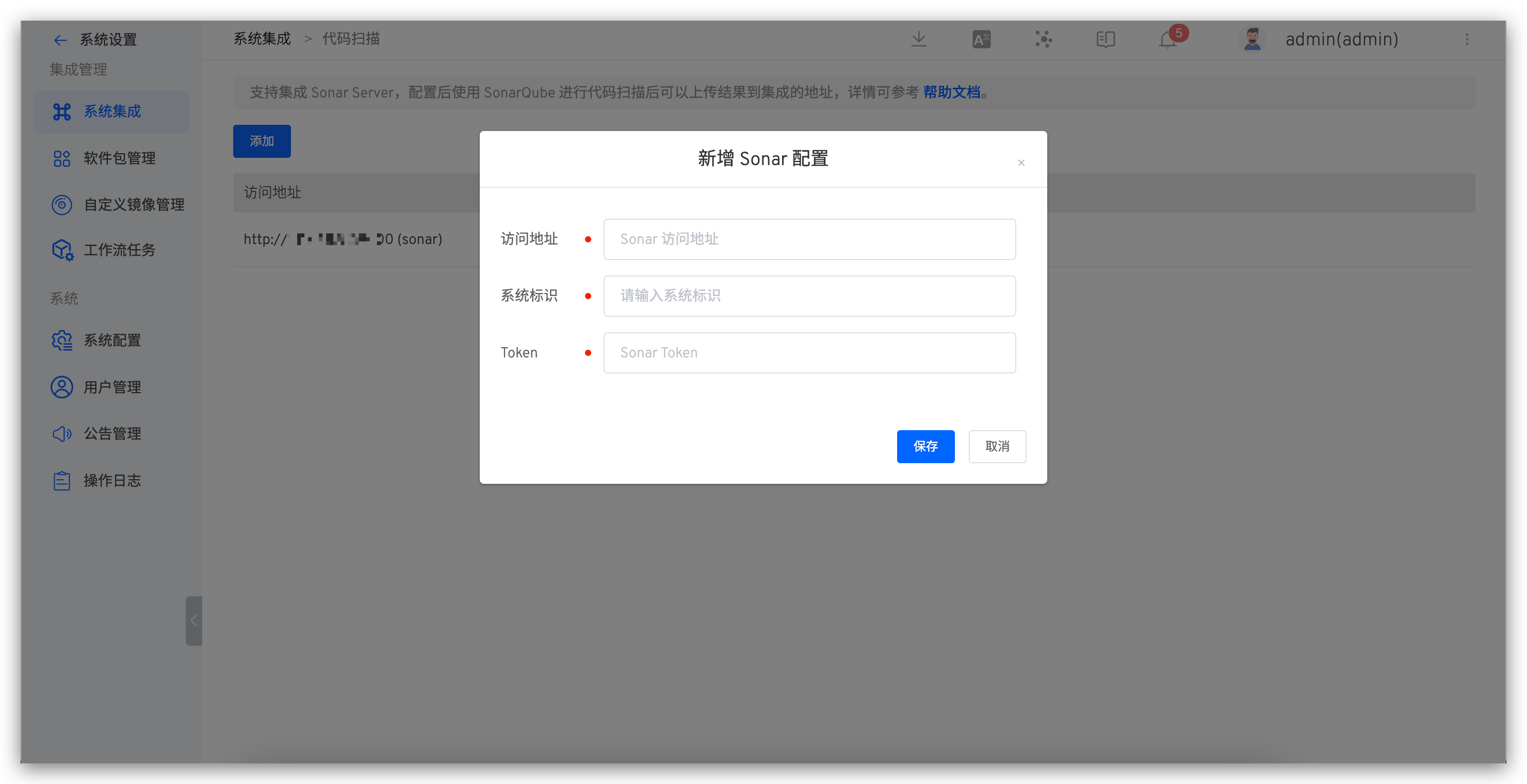
The system administrator accesses 系统设置 > 系统集成 > code scanning and adds a new code scanning configuration.
- Access address: Sonar system address
- System identifier: Custom, for easy identification in Zadig
- Token: Sonar system API Token, refer to the documentation for obtaining it: Sonar API Token (opens new window)
# Set Quality Gate Rules
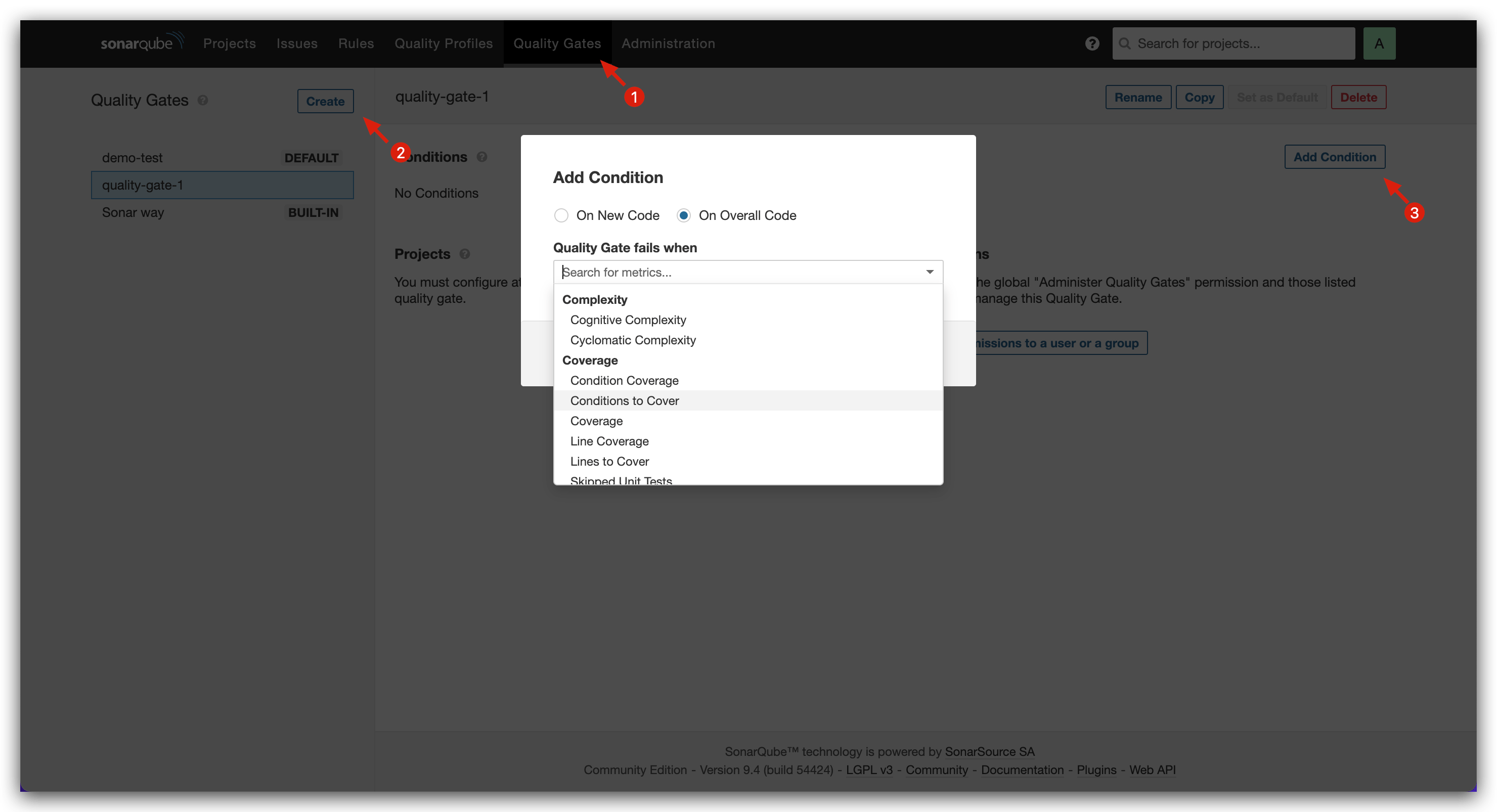
Access Sonar system > Quality Gate, add new quality gate rules, and set gate conditions as needed.
# Install DongTai Agent for Service
Modify the service's YAML configuration to install the DongTai IAST Agent. Refer to the official DongTai documentation for how to obtain the Agent: Quick Start (opens new window). Here is an example of specific changes for a Java-based service:
- Add
initContainerconfiguration to the service configuration - Modify the service start command to include
-javaagent:/path/to/agent.jar
When modifying the service's YAML configuration, you can use Zadig's service variable capabilities to control whether the service needs to install the Agent for dynamic security testing.
Original service configuration:
apiVersion: apps/v1
kind: Deployment
metadata:
  labels:
    app: service1
  name: service1
spec:
  selector:
    matchLabels:
      app: service1
  template:
    metadata:
      labels:
        app: service1
    spec:
      containers:
        - name: service1
          image: dongtai/dongtai-java-agent-demo:0.0.1
Modified service configuration:
apiVersion: apps/v1
kind: Deployment
metadata:
  labels:
    app: service1
  name: service1
spec:
  selector:
    matchLabels:
      app: service1
  template:
    metadata:
      labels:
        app: service1
    spec:
      {{- if .iast }}
      volumes:
        - name: dongtai-iast-agent
          emptyDir: {}
      initContainers:
        - name: agent-init-container
          image: curlimages/curl
          volumeMounts:
            - name: dongtai-iast-agent
              mountPath: /tmp
          args:
            - "-k"
            - "-X"
            - "GET"
            - "从洞态管理后台获取到的 Agent 下载请求地址"
            - "-H"
            - "从洞态管理后台获取到的 Agent 下载请求的 Header 信息"
            - "-o"
            - "/tmp/agent.jar"
      {{- end}}
      containers:
        - name: service1
          image: dongtai/dongtai-java-agent-demo:0.0.1
          {{- if .iast }}
          volumeMounts:
            - name: dongtai-iast-agent
              mountPath: /agent
          env:
            - name: JAVA_TOOL_OPTIONS
              value: "-javaagent:/agent/agent.jar"
          {{- end}}
# Configure Workflows, Environments, and Code Scanning
Platform (operations) engineers prepare three environments, three workflows, and code scanning in Zadig. The specific configuration is as follows:
Environment configuration
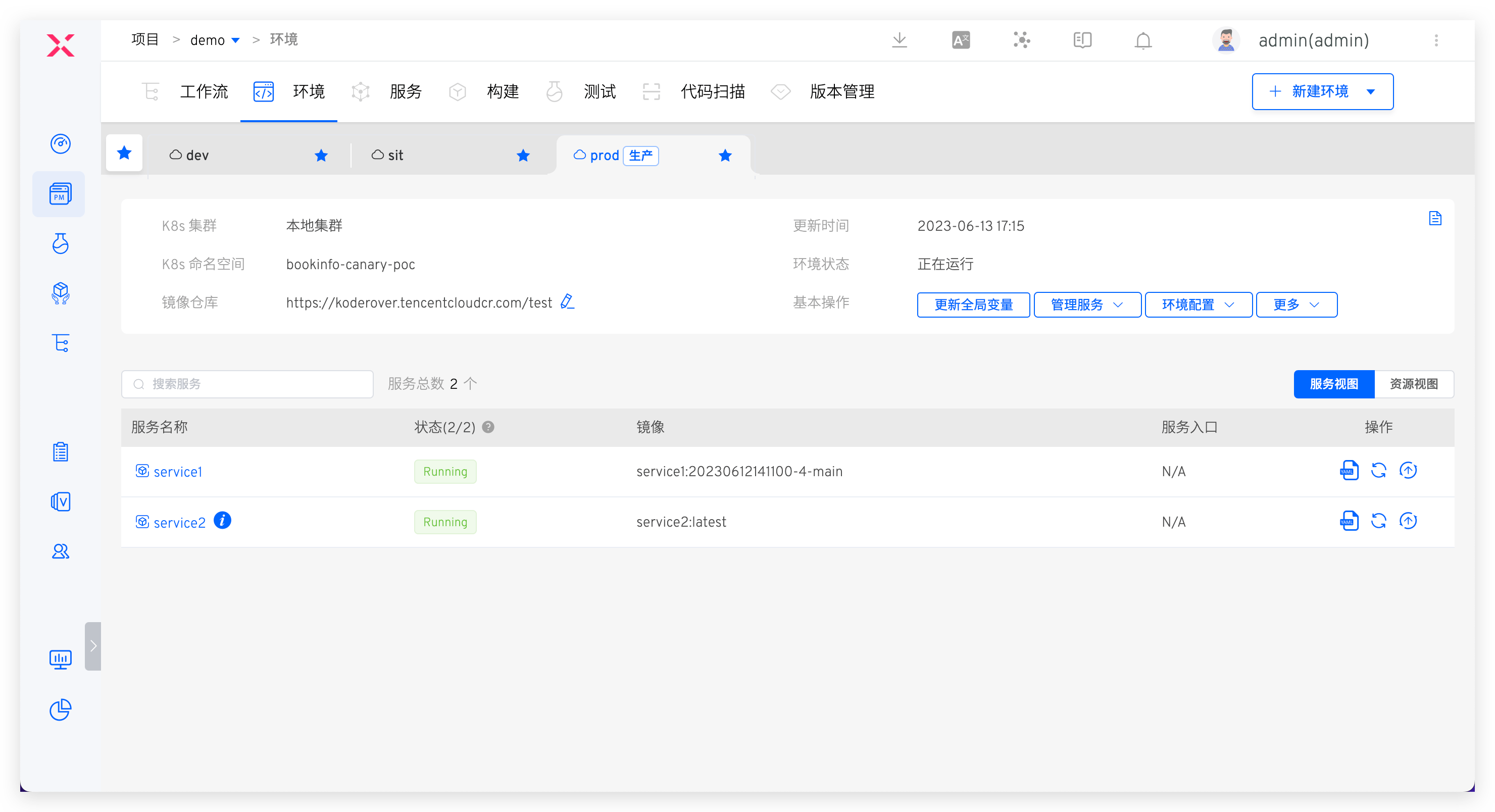
- dev: Development environment, used for daily self-testing and joint debugging
- sit: Integration testing environment, used for daily test verification and dynamic security testing, set
iastvariable to true when creating the environment - prod: Production environment, used for production environment viewing, changes to this environment require strict approval
Workflow configuration
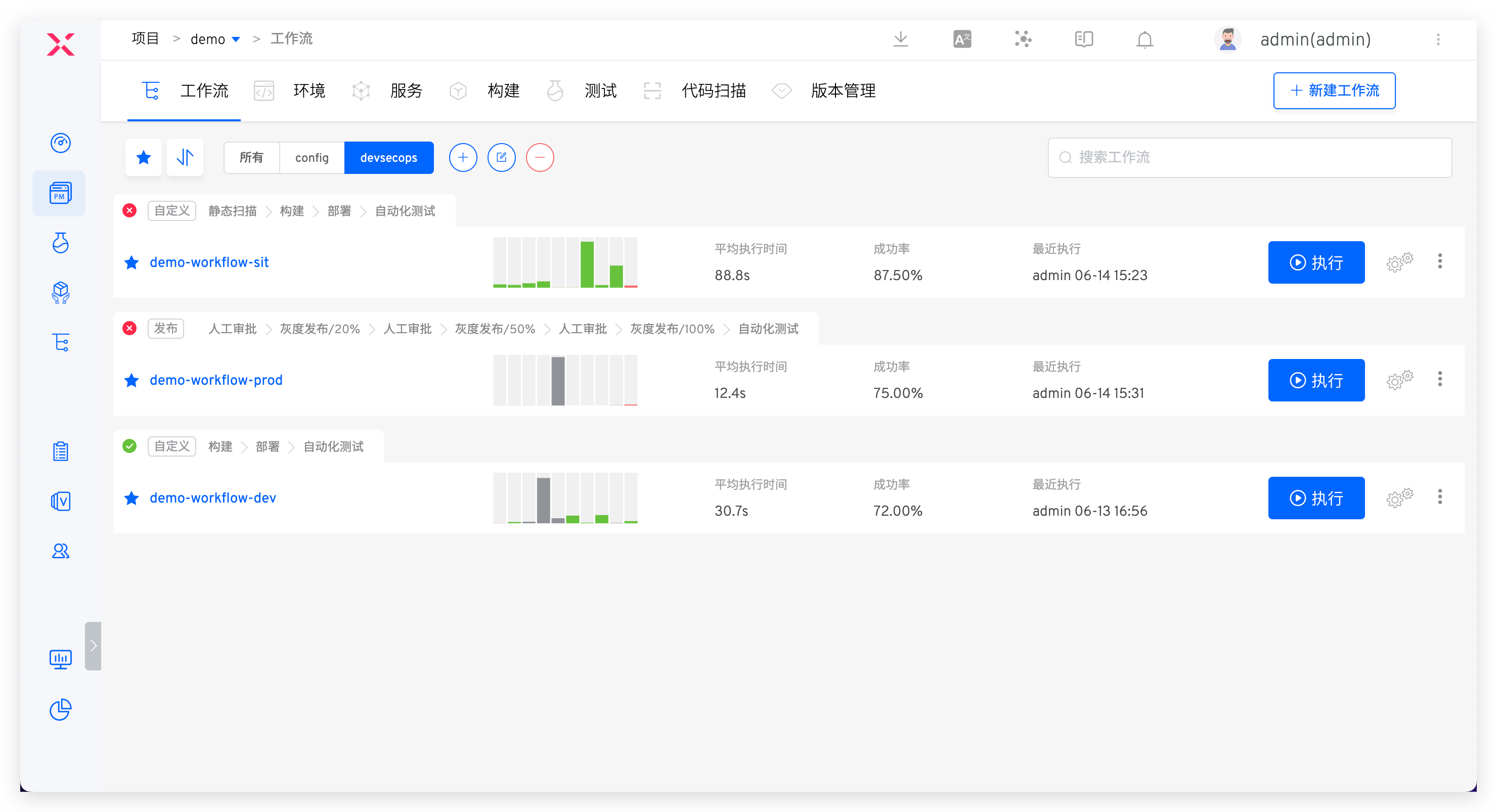
- workflow-dev: Includes steps:
构建 > 部署 dev 环境 > IM 通知+ automatic execution based on code changes - workflow-sit: Includes steps:
代码扫描 > 构建 > 部署 sit 环境 > 自动化测试 > IM 通知+ automatic execution based on code changes - workflow-prod: Includes steps:
人工审批 > 部署 prod 环境 > 自动化测试 > IM 通知+ execution triggered by the publisher based on the release window
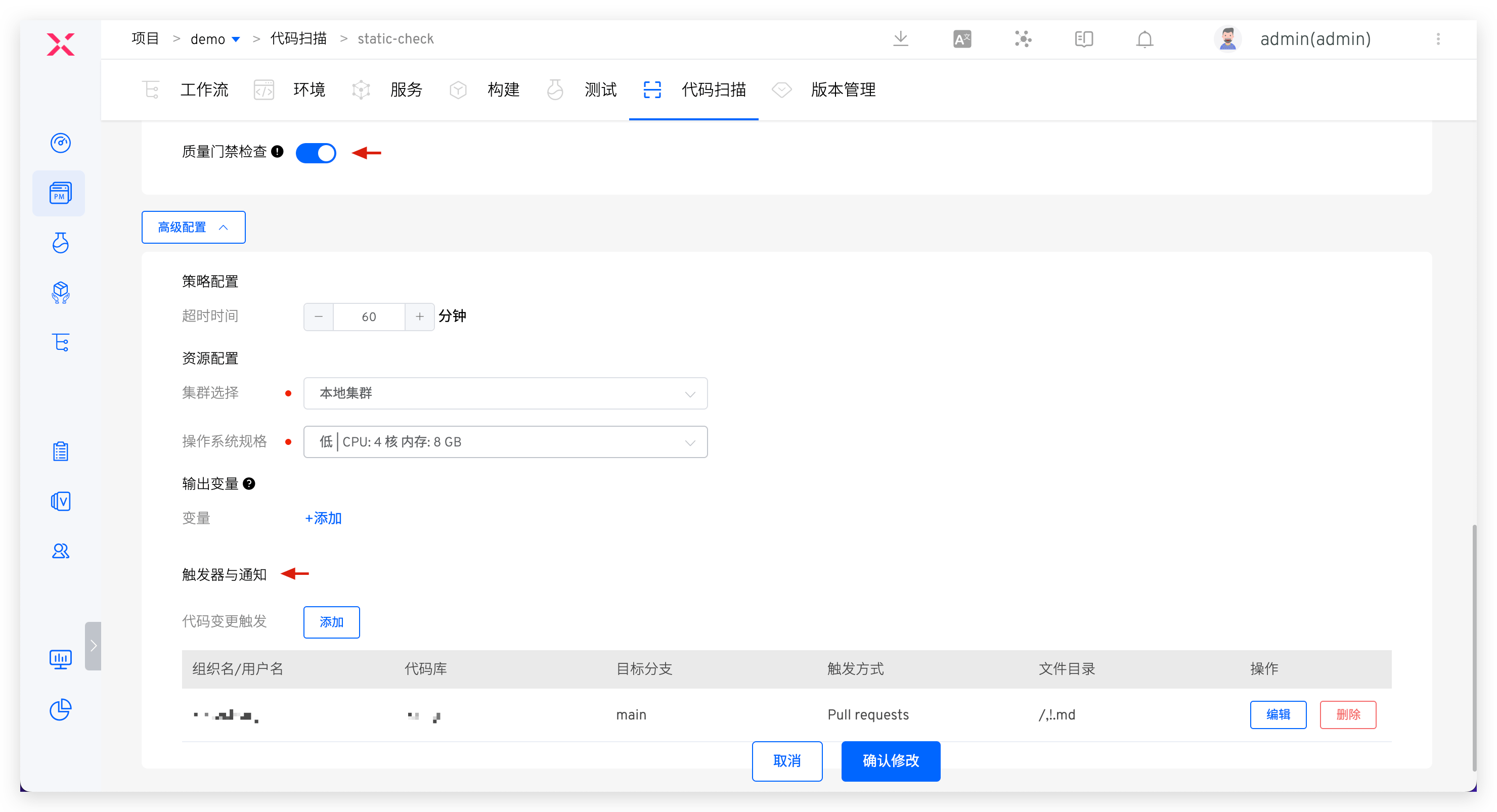
Code scanning configuration
Configure code scanning, enable quality gate checks, and add triggers. Refer to the documentation for specific configuration: Configure code scanning (opens new window).
# Introduction to DevSecOps Core User Scenarios
# Static Security Injection in the Development Stage
The process includes: code commit > static scan > build > deployment > self-test and joint debugging
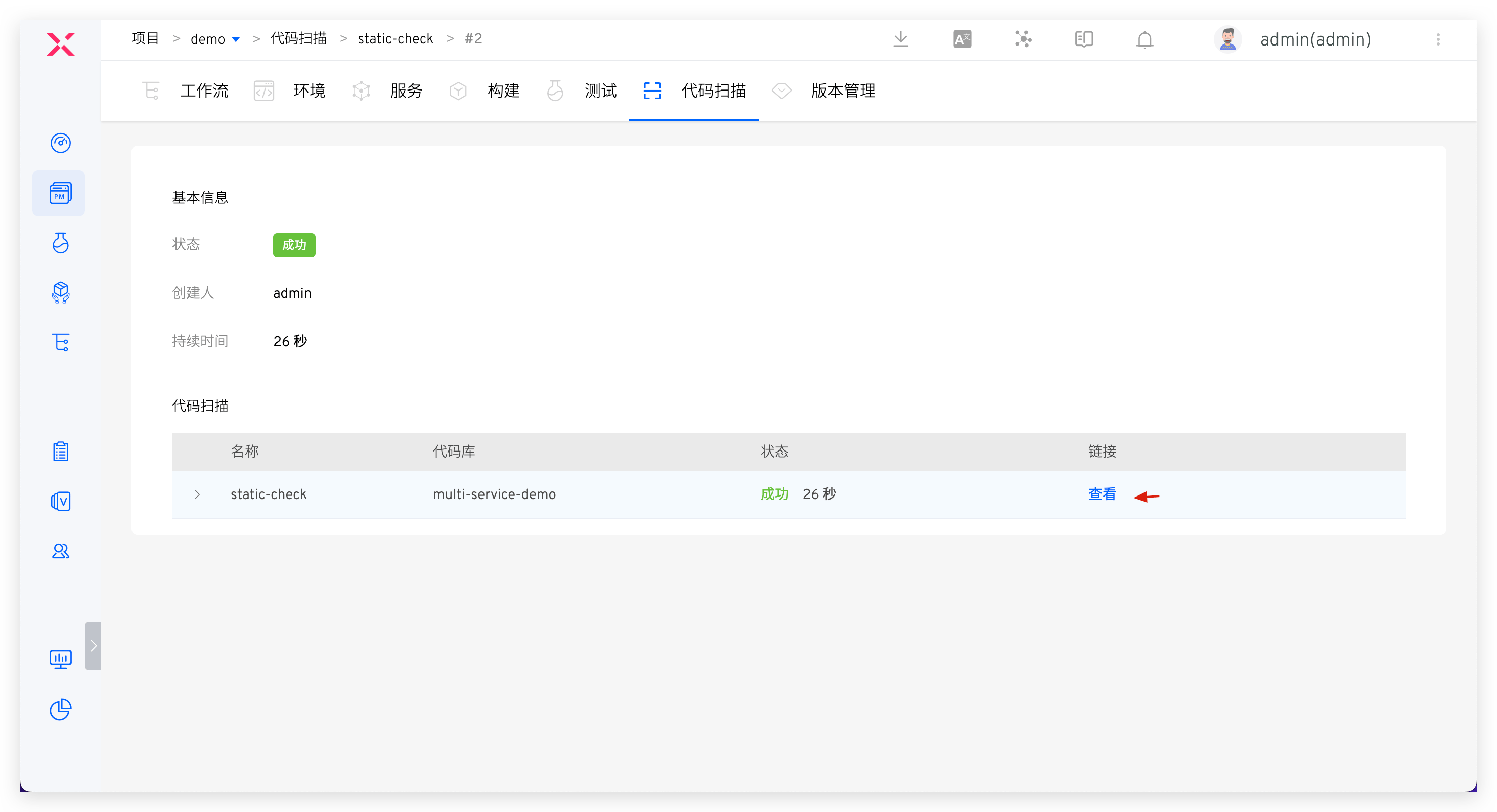
After the code implementation is complete and a code change PR is submitted, static code scanning will be automatically triggered. The scan results will be reflected in the PR. Click to jump to Zadig to view the failure reasons, effectively avoiding quality and security risks in the code at the development source.
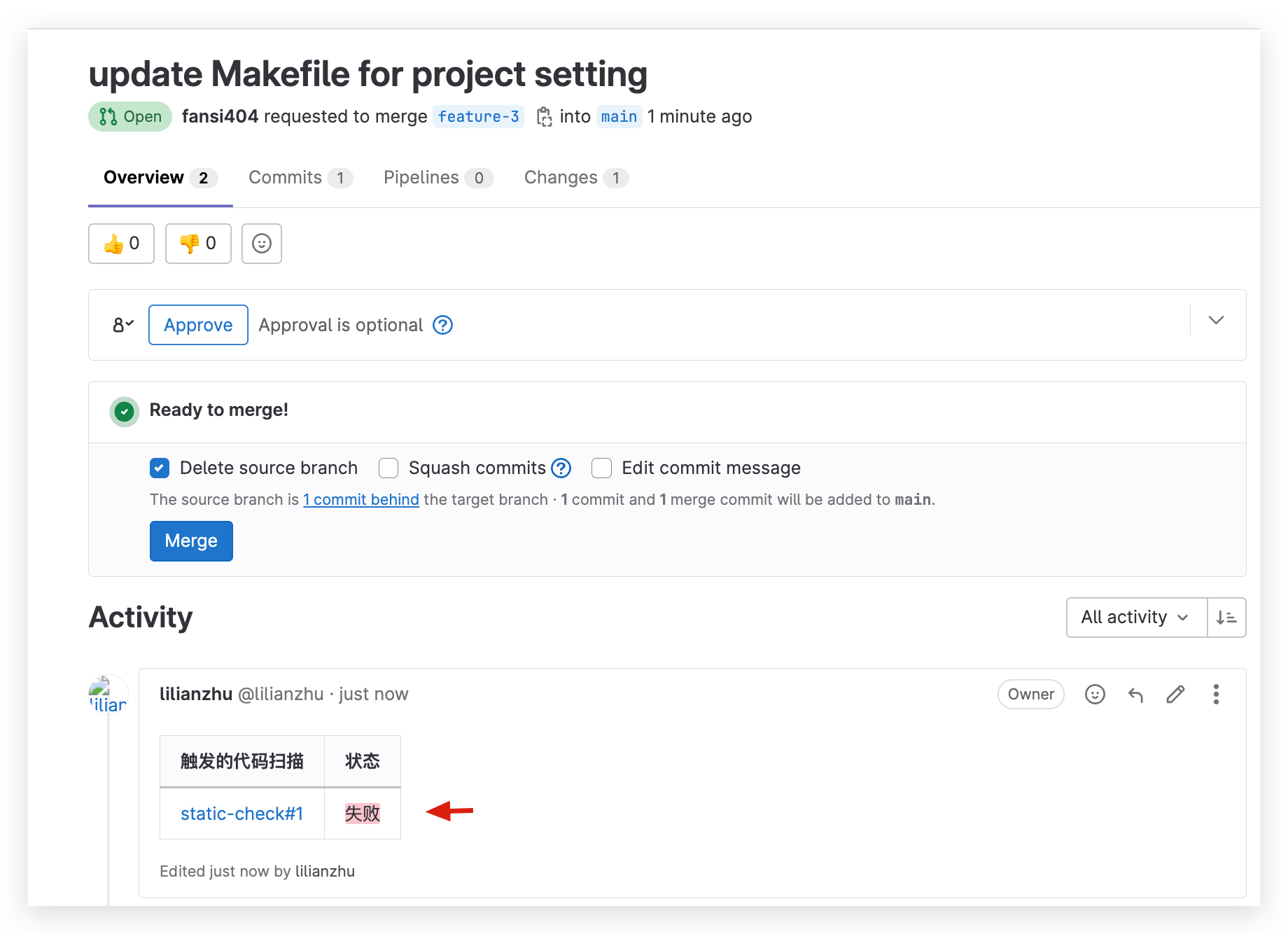
Click the link in the code scan to jump to the Sonar system to view more detailed results of the code scan and fix them in a targeted manner. After the fixes are completed, execute the dev workflow for daily self-test and joint debugging.

# Combined Security Policies in the Testing Stage
The process includes: static scan (with quality gate enabled) > build > deployment > automated testing (business testing + dynamic security testing)
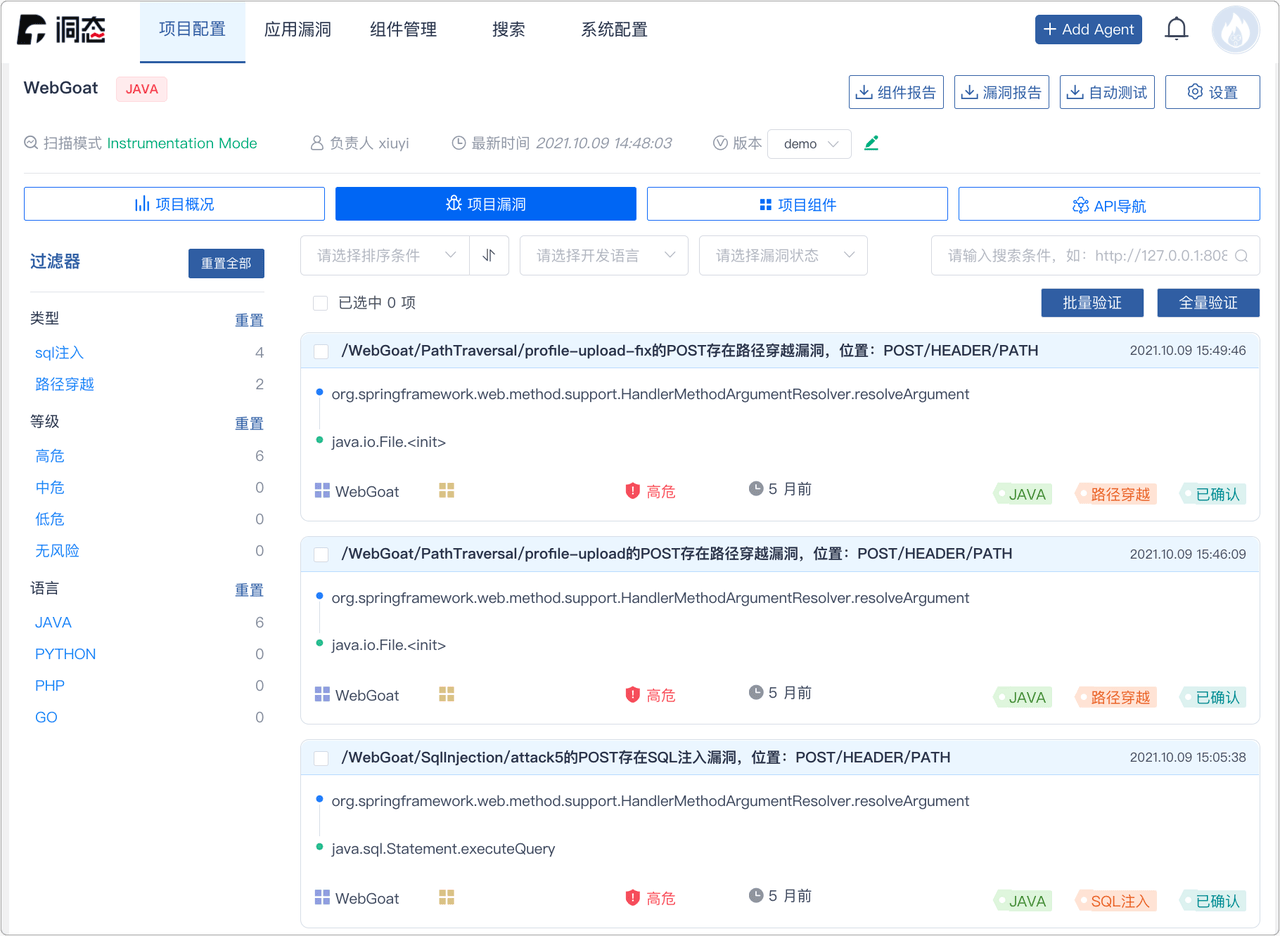
After the development and testing are completed, the test engineer executes the sit workflow based on the code branch + PR, deploys the sit environment, and performs automated testing. The workflow will automatically notify the IM after execution. Log in to the DongTai management backend to view the details of dynamic security testing vulnerabilities, promote timely fixes by the team, and avoid security risks as early as possible.

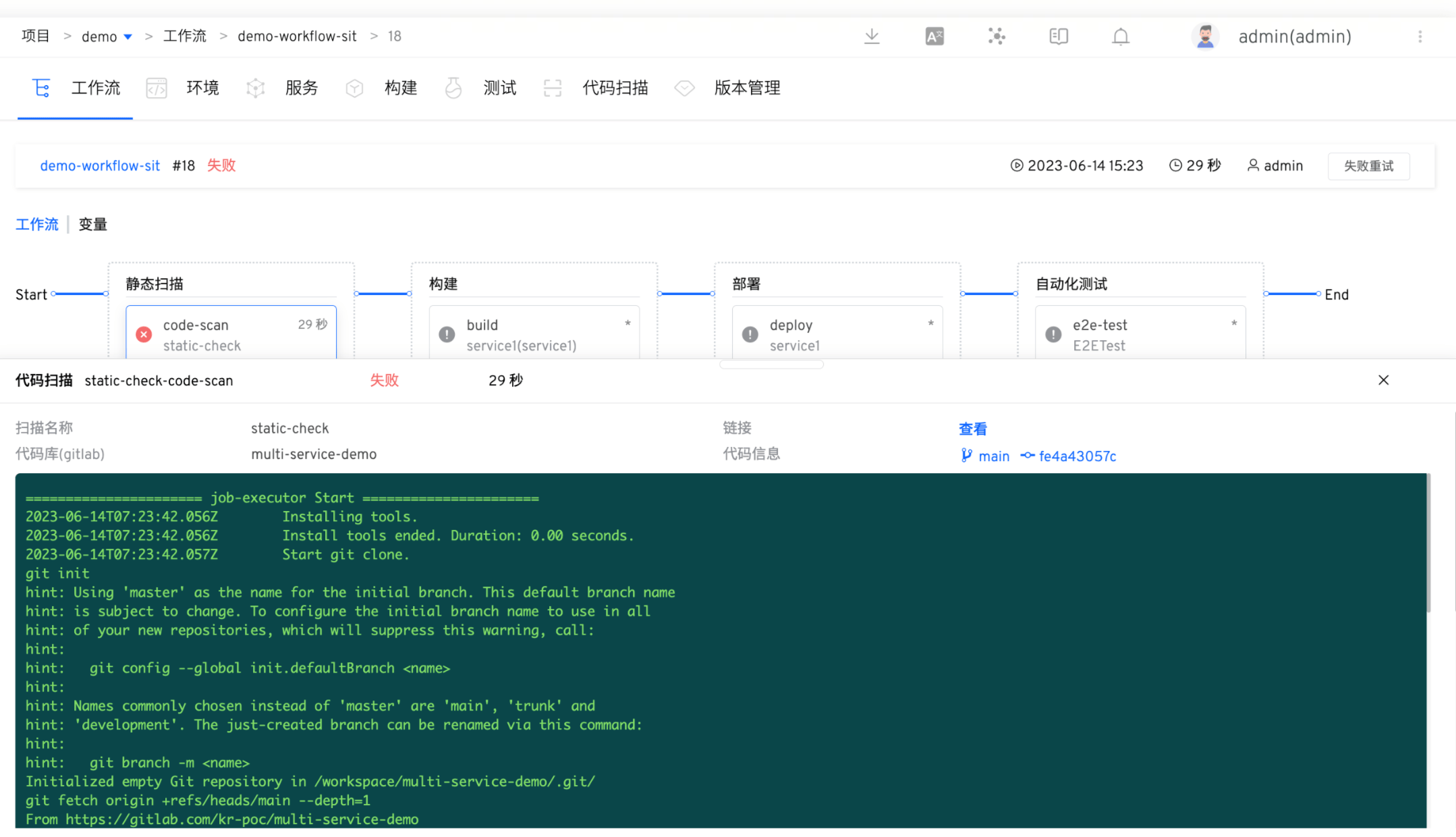
If the static scan task fails, subsequent build and deployment tasks will be prevented. Code changes that fail to pass the acceptance will be rejected to merge, capturing security risks at the source code level and establishing effective quality gate measures. This approach prevents potential issues from entering the system.
# Security Inspection and Approval in the Release Stage
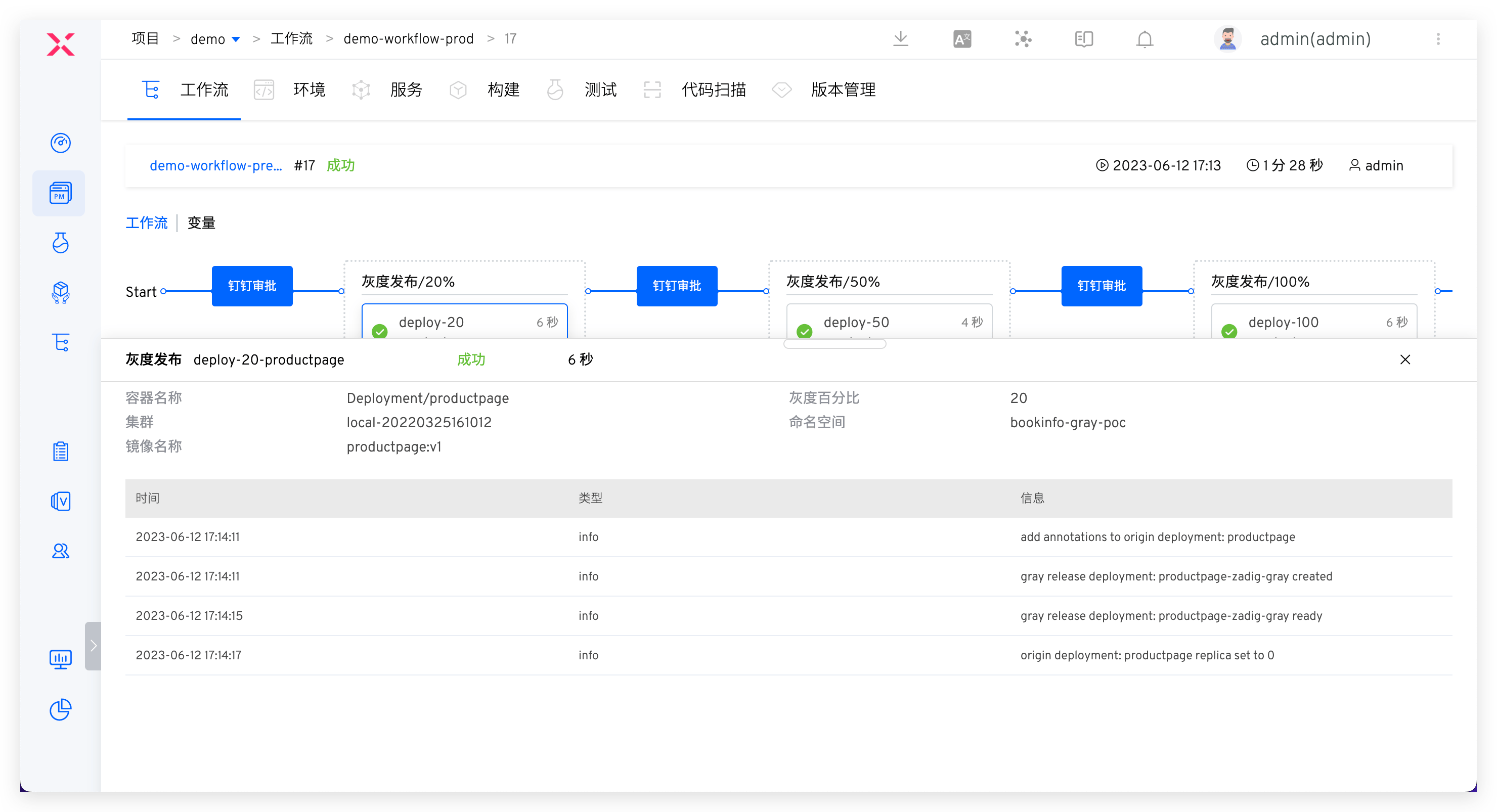
The process includes: Security Committee review > batched gray release > automated testing
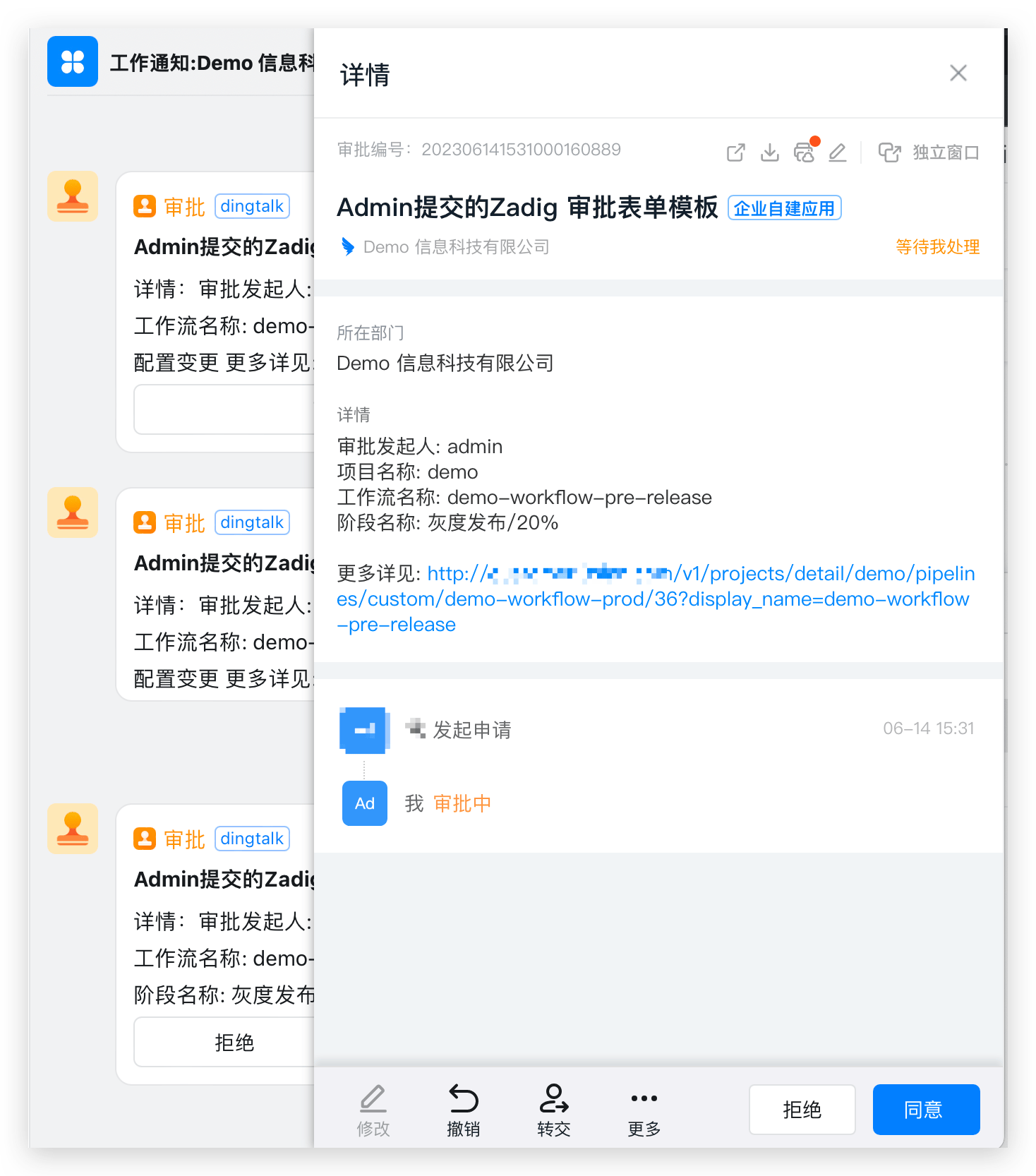
After the test acceptance is passed, the prod workflow is executed for production release, which can only proceed after approval. Several configuration strategies are recommended:
- Implement release gates by automatically obtaining quality results from security scans, unit tests, regression tests, etc., to determine whether the release is allowed. Use these as checkpoints in the release process to ensure that the version passes acceptance and meets the enterprise's security requirements before going live.
- Flexibly orchestrate blue-green, canary, batched gray, and Istio full-link release strategies to ensure release reliability. Refer to: Workflow release strategies (opens new window).
- Add manual approval by the security team in the workflow to ensure release compliance in business processes.
# Summary
Zadig combines mainstream security tools to automate security and compliance policies in the software development lifecycle (SDLC), allowing DevSecOps to move beyond the conceptual level and bring new solutions to security management for enterprises.


