
Demand is the source of products, and its importance is self-evident. However, in traditional product delivery practices, demand tracking and engineering delivery processes are often disconnected, and there are many fragmented tasks. This traditional approach brings a series of pain points:
- Communication Barriers: Demand is transmitted through informal channels, causing inaccurate information and difficulty in tracking, which affects teamwork.
- Delivery Bottlenecks: Lack of automation leads to long R&D cycles, repetitive tasks, and increased risk of errors and delays.
- Inadequate Project Monitoring: The lack of a clear understanding of the overall project status makes decision-making and optimization difficult.
- Inefficient Collaboration: Teams need to switch between multiple tools, increasing workload and collaboration difficulty.
To address these pain points, Zadig seamlessly connects with the mainstream project management tool Jira, elegantly solving the above problems and achieving smooth collaboration between product and R&D teams. Next, we will use a "Geek" project to introduce how to configure Jira and Zadig, and use a real product development scenario as an example to experience the entire automated collaboration process.
# Project Background Introduction
Based on the "Geek" project launch goal, the product manager formulates a version release plan, breaks down the requirements, and sequentially establishes Epic -> Stories -> Issue Tracking in Jira, and associates version information with the tasks, including the following three types of issues:
- Task: Used to record a series of tasks to be developed after the requirements are broken down and enter the R&D process
- Defect: Used to record defect repairs for historical versions or newly discovered defects during the testing phase
- Release: The release plan, which includes the task information to be released in this version
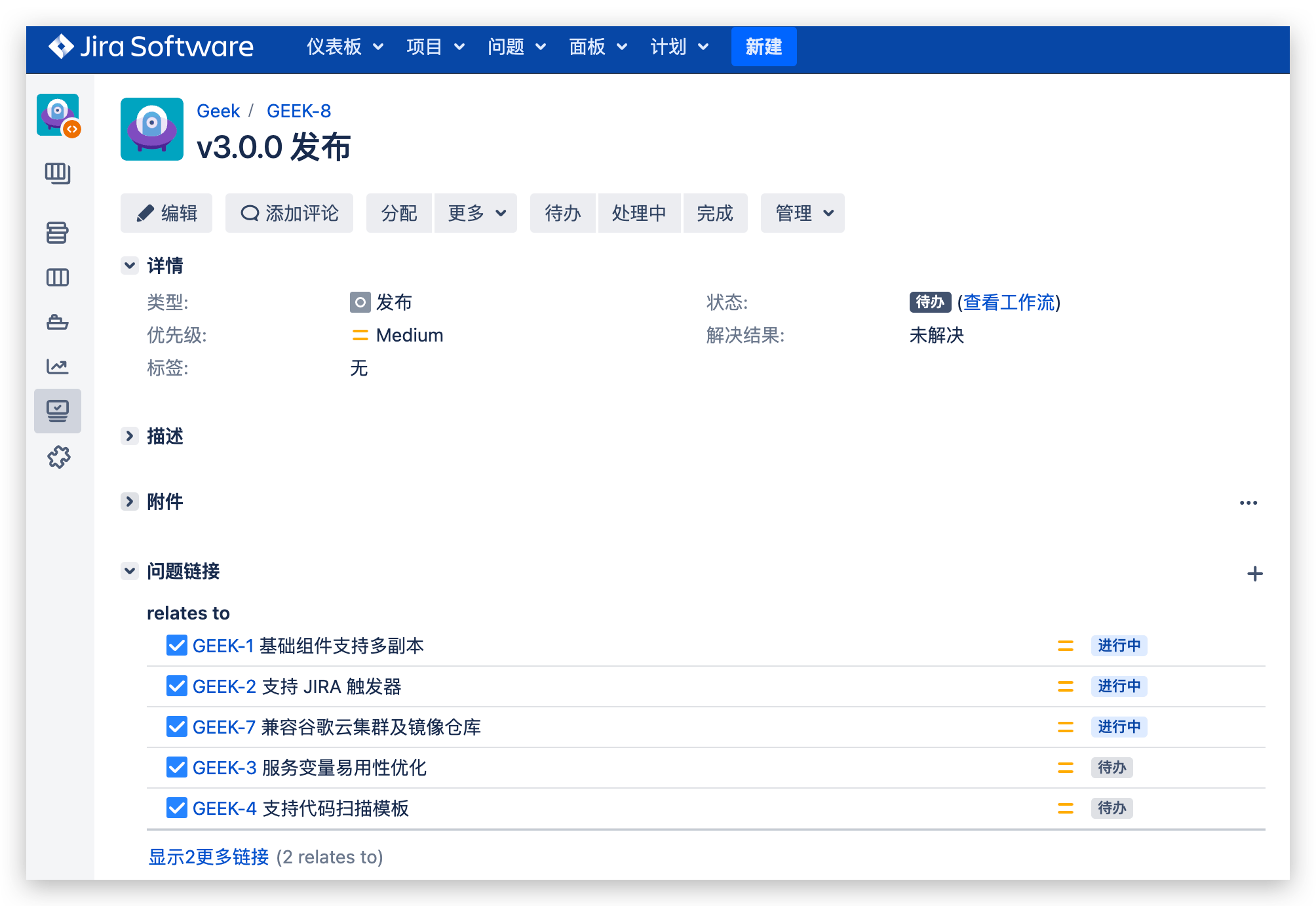
The status flow diagram for tasks/defects is as follows:

The status flow diagram for releases is as follows:

# How the Administrator Configures
Administrators (such as operations engineers) integrate Jira in Zadig and implement the basic engineering configuration required for daily collaboration in R&D, testing, and operations: including the environment and workflows needed by different roles.
# Integration with Jira
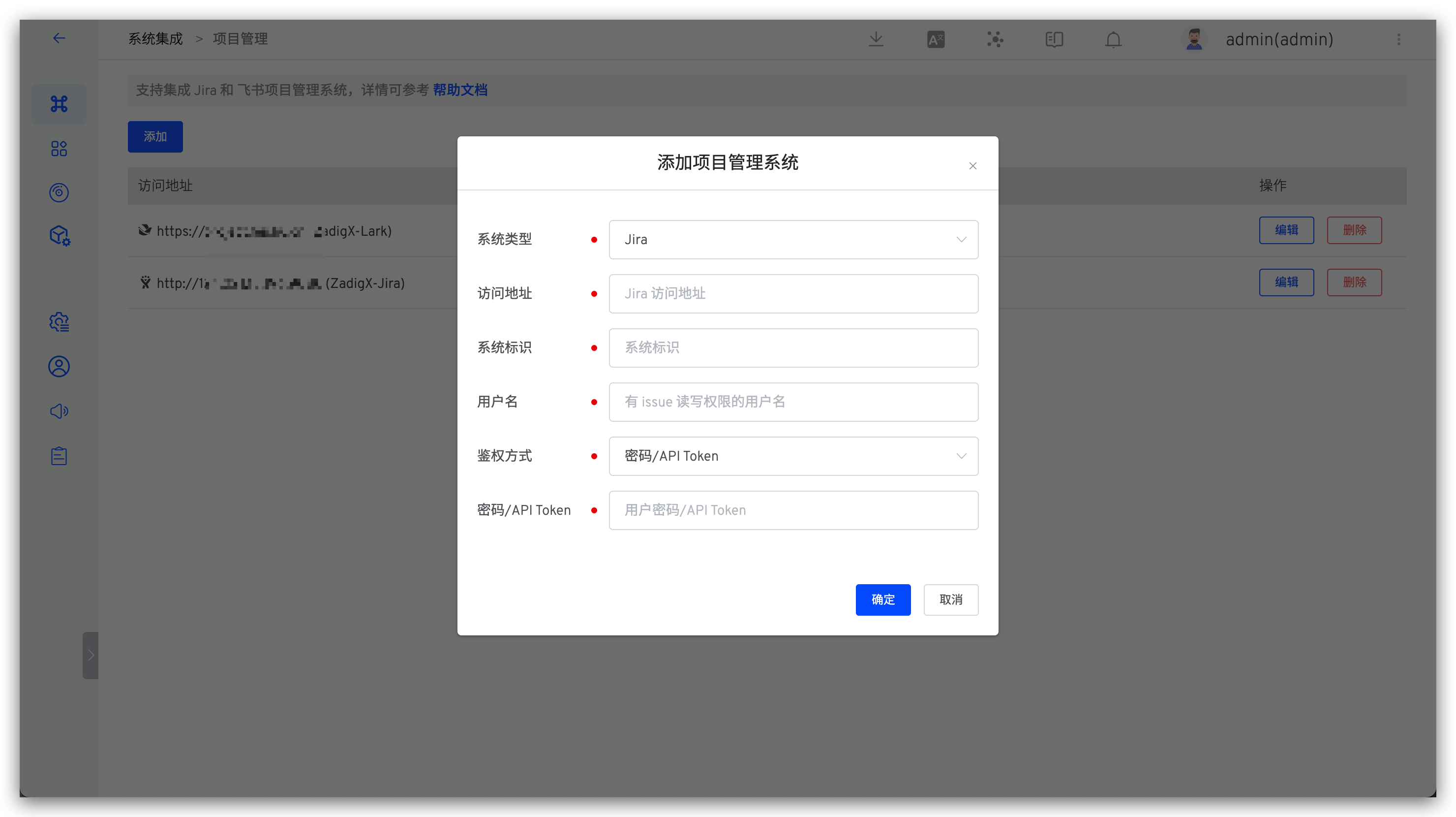
To integrate Jira in Zadig, refer to the documentation: Jira Integration (opens new window).
# Environment Configuration
Platform (operations) engineers prepare the target collaboration environment on Zadig. For specific configuration, refer to:
| Role-Oriented | Name Sample | Environment Description | Corresponding Code | Scene Description |
|---|---|---|---|---|
| Development Engineer | dev | Development Environment | develop branch + PR (feature branch to develop branch) | After the requirements are implemented, they are deployed in the dev environment for self-testing. If the self-test is successful, it is then submitted for testing |
| Test Engineer | sit | Daily Testing and Verification Environment | develop branch + PR (feature branch to develop branch) | After the requirements are developed, the sit environment is updated based on code changes for testing and verification. If the verification is successful, the PR is merged |
| uat | Pre-release, Integrated Verification Environment | main branch + PR (develop branch to main branch) | When the tasks in the version are completed and accepted, the uat environment is deployed based on the main branch + PR for integrated verification. After the verification is successful, the code is merged in a timely manner. This is used for acceptance testing before production release. | |
| Release Engineer | prod | Production Environment | main branch | Production release, changes to the production environment require strict approval |
# Configure the workflow:
Platform (operations) engineers prepare the target collaboration workflow in Zadig. For specific configuration, refer to:
| Role-Oriented | Function Description | Workflow Name Sample | Specific Configuration |
|---|---|---|---|
| R&D Engineer | Daily Update Development Environment | workflow-dev | Change task status (To-Do -> In Progress) -> Build -> Deploy -> Automated Test -> IM Notification |
| Test Engineer | Daily Update Testing Environment | workflow-sit | Build -> Deploy sit environment -> Automated Test -> Change task status (Testing -> To-Be-Released) |
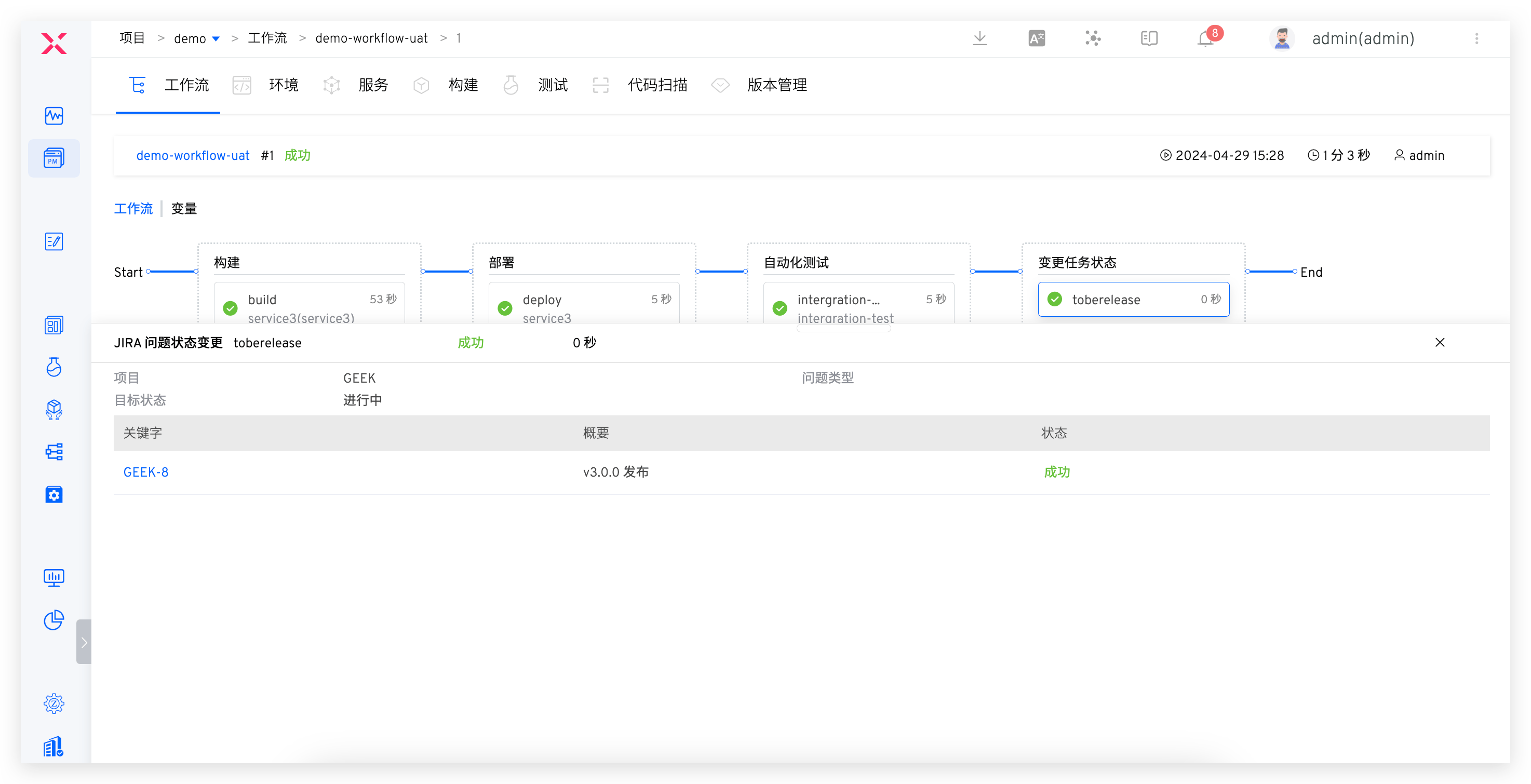
| Update Integrated Testing Environment | workflow-uat | Build -> Deploy uat environment -> Automated Test -> Change release status (To-Do -> In Progress) | |
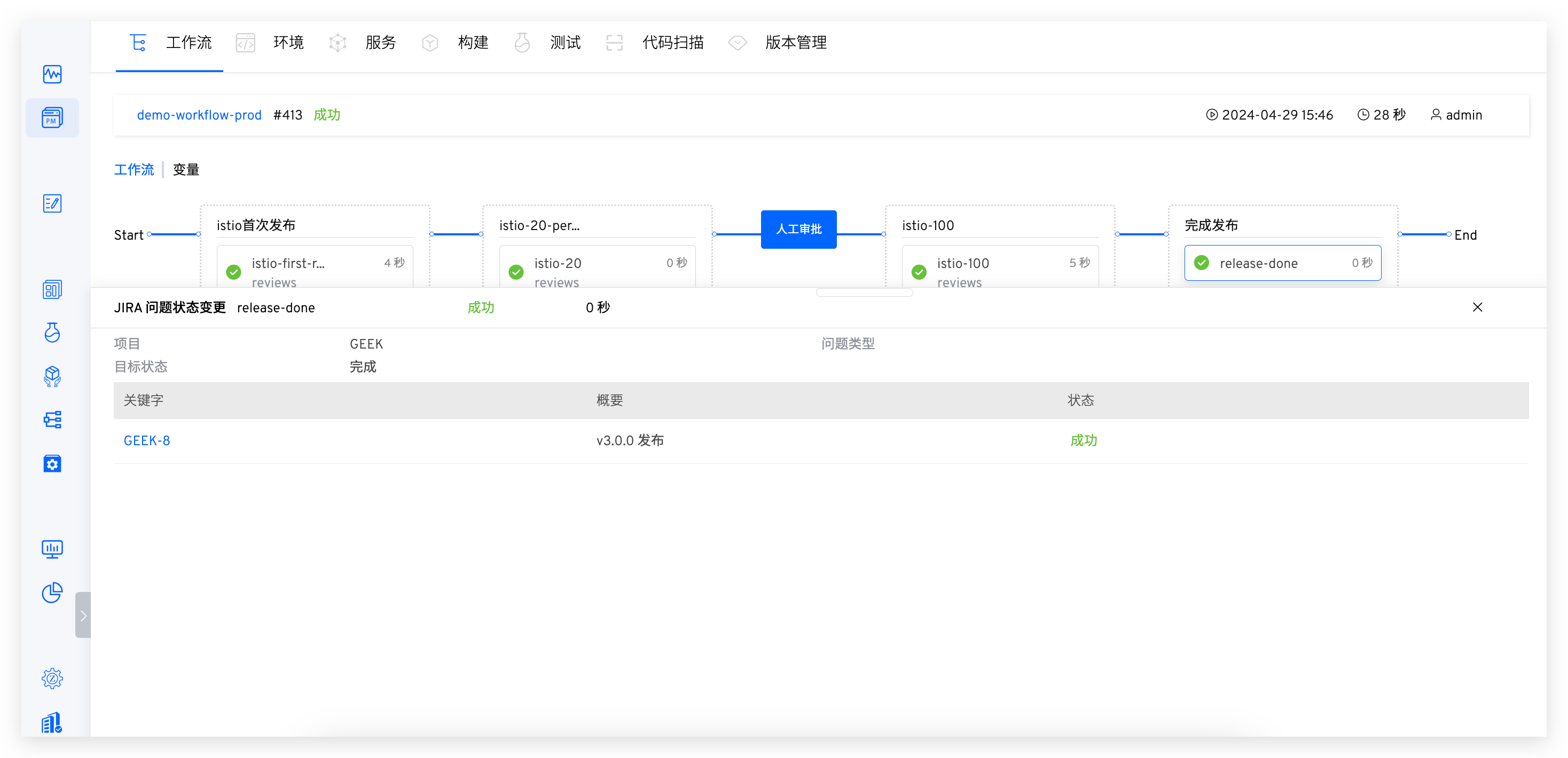
| Release Engineer | Update Production Environment | workflow-prod | Approval -> Deploy production environment -> Change release task status (To-Be-Released -> Complete) |
# Project Status Change Configuration
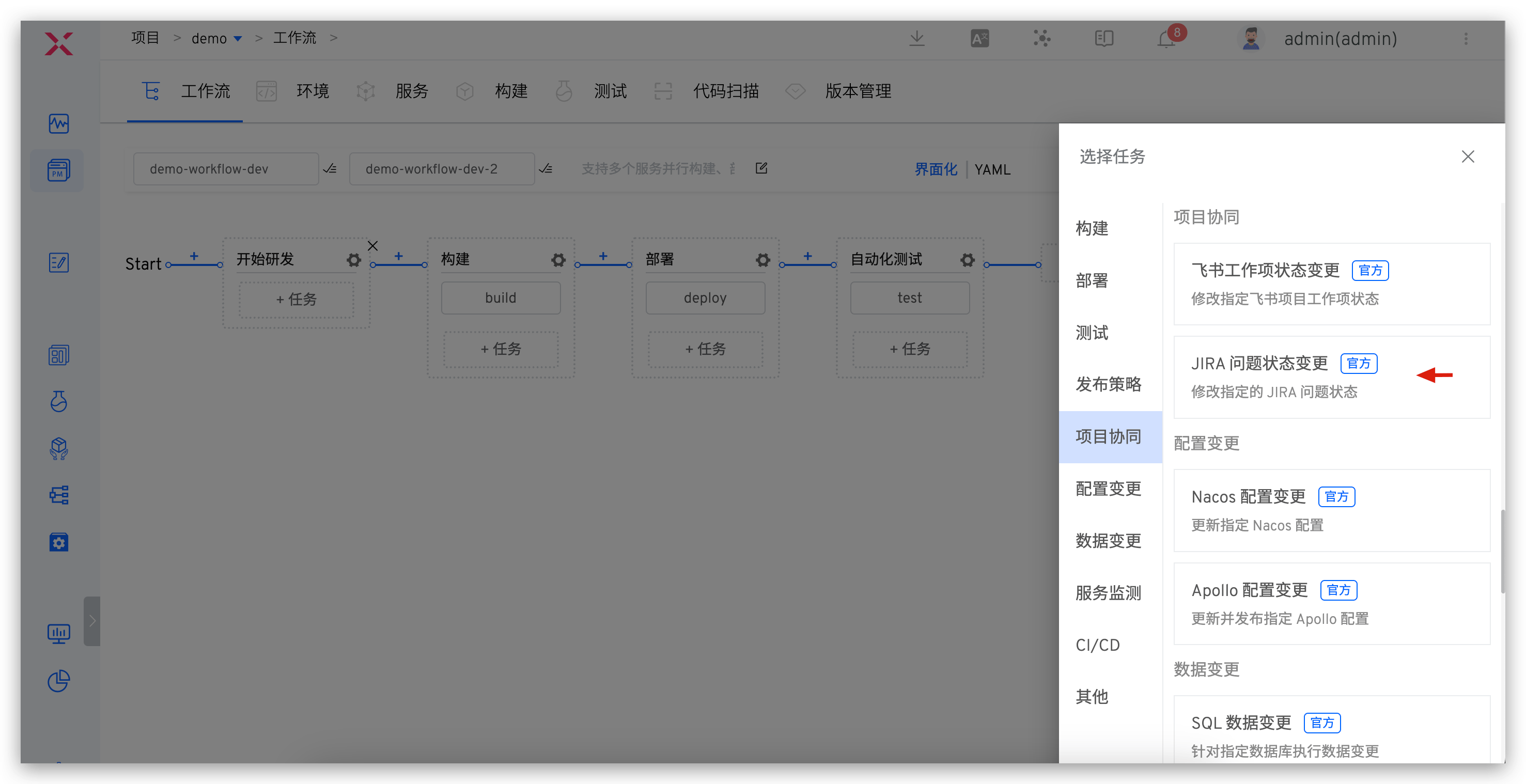
By orchestrating the JIRA Issue Status Change Task into the workflow, you can complete the associated configuration of automatic project status changes and the workflow. Taking the dev workflow as an example, the configuration of other workflows is similar, so it will not be repeated here.
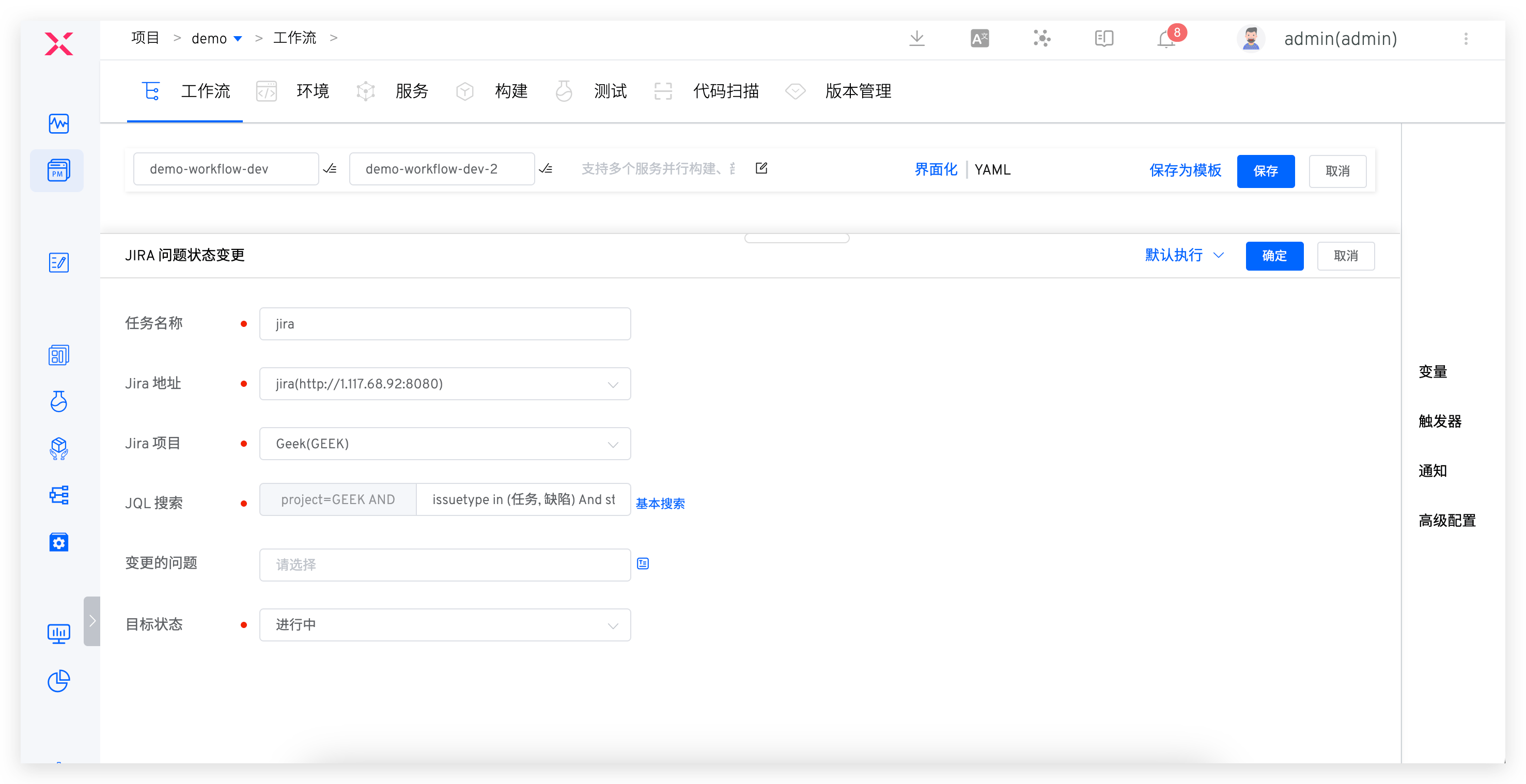
Operation Steps: Edit dev workflow -> Add JIRA issue status change task -> Fill in the task configuration and save.
Specific configuration information can be found in:
- Task Name:
start-develop, configured according to actual semantics. - Jira Project:
Geek Project, select the project corresponding to the R&D team in Jira. - JQL Search:
issuetype in (Task, Defect) And status = "To-Do", standard JQL statements supported by Jira. - Change Issue: No configuration required, specified when executing the workflow.
- Target Status:
In Progress, select the target status that needs to be automatically changed.
# Team Agile Collaboration Scenario
The following scenarios cover the main collaboration processes involved in the R&D process, such as independent development, multi-party joint debugging, development and testing collaboration, regression testing verification, and official release and launch. Through Zadig workflow automation, the status transitions of task/defect/release type issues in Jira are triggered to achieve efficient automated collaboration.
# Independent Development and Self-Testing Scenario
Task/Defect Status Automatically Triggered: To-Do -> In Progress
After the code is implemented, submit the code change PR to the remote repository, execute the dev workflow, and select the corresponding JIRA issue, service, and code change PR.

# Multiple Development Joint Collaboration Scenario
Task/Defect Status Automatically Triggered: To-Do -> In Progress
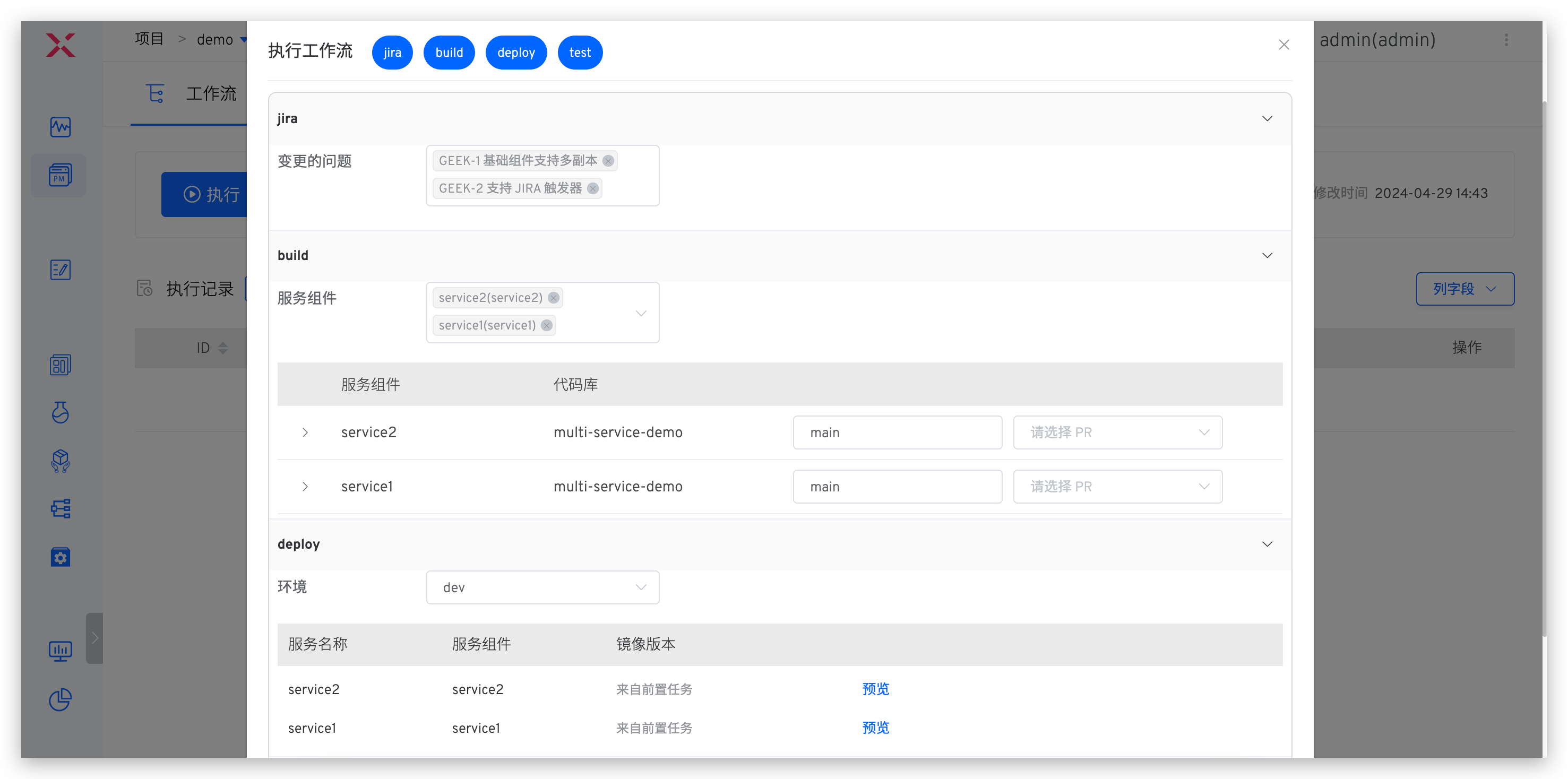
After the code is implemented, submit the code change PR to the remote repository. When executing the dev workflow, select multiple issues, services, and PRs that need to be coordinated.
# Function Test Verification Scenario
Task/Defect Status Automatically Triggered: Testing -> To-Be-Released
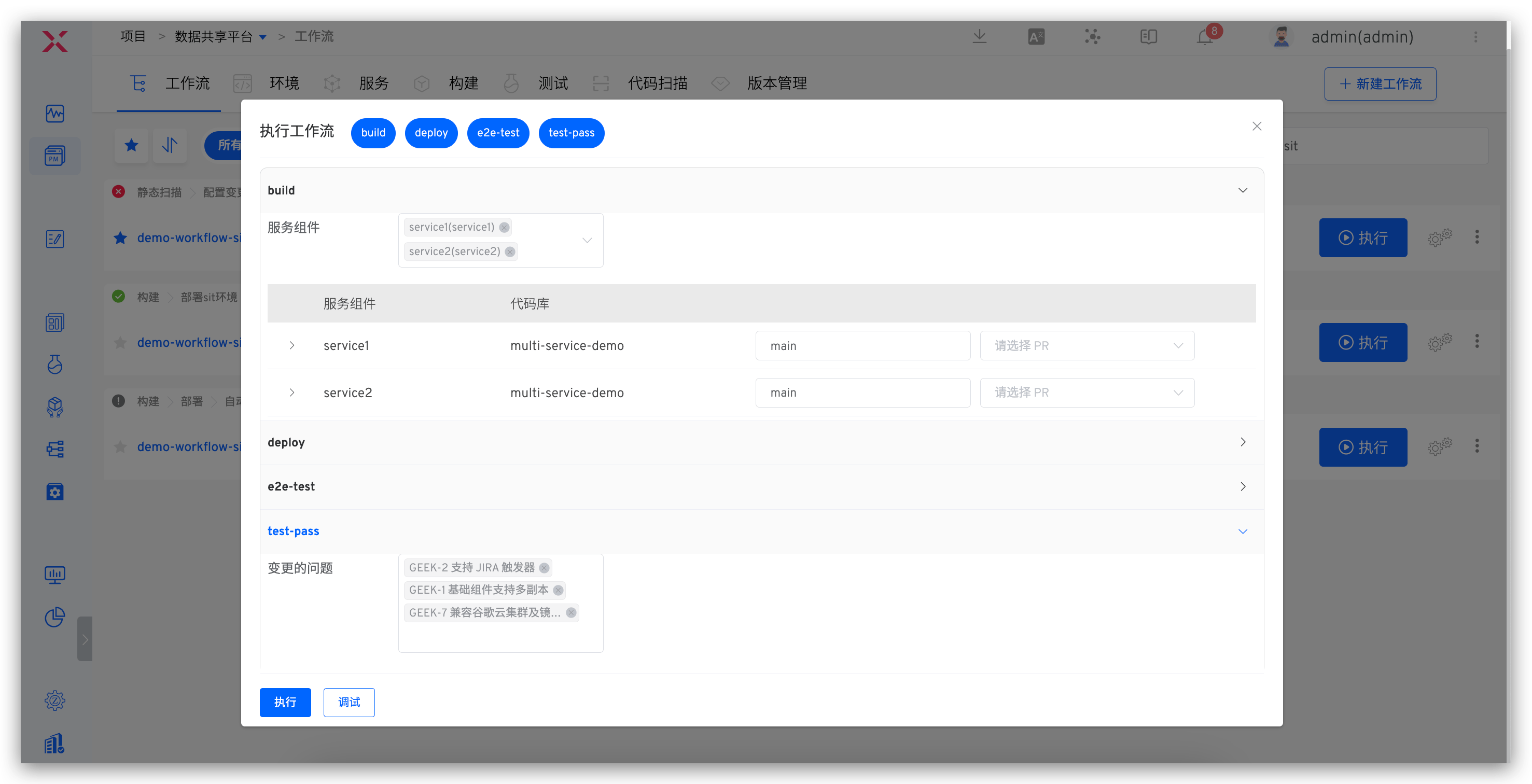
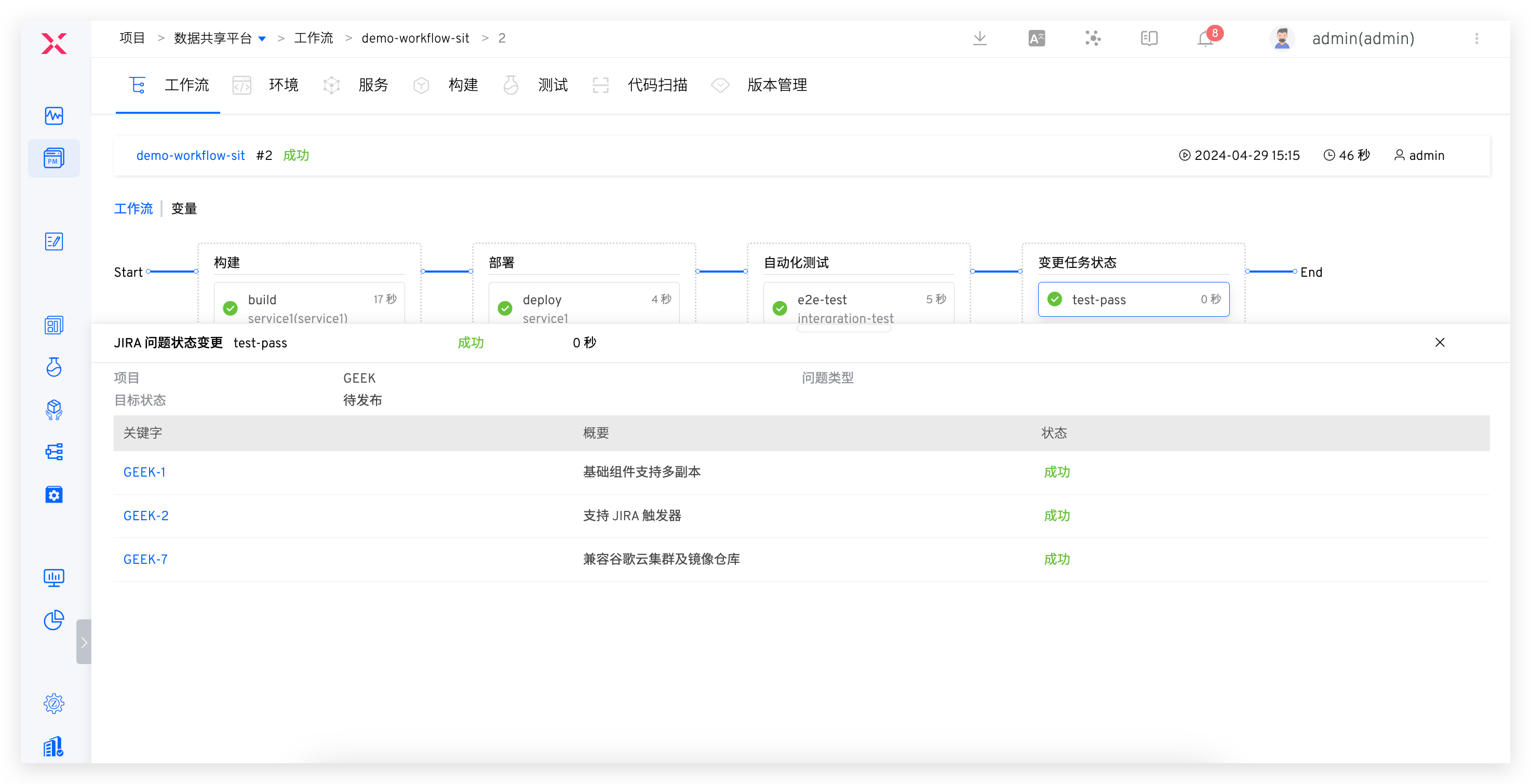
After the R&D team submits the test, the sit workflow updates the sit environment based on code changes. The execution steps include Build -> Deploy -> Automated Test -> Change Task Status. Conduct daily test acceptance work in the sit environment:
- After verification is successful, the corresponding JIRA task status is adjusted to
To-Be-Released. - If the acceptance fails, the JIRA task status is adjusted to
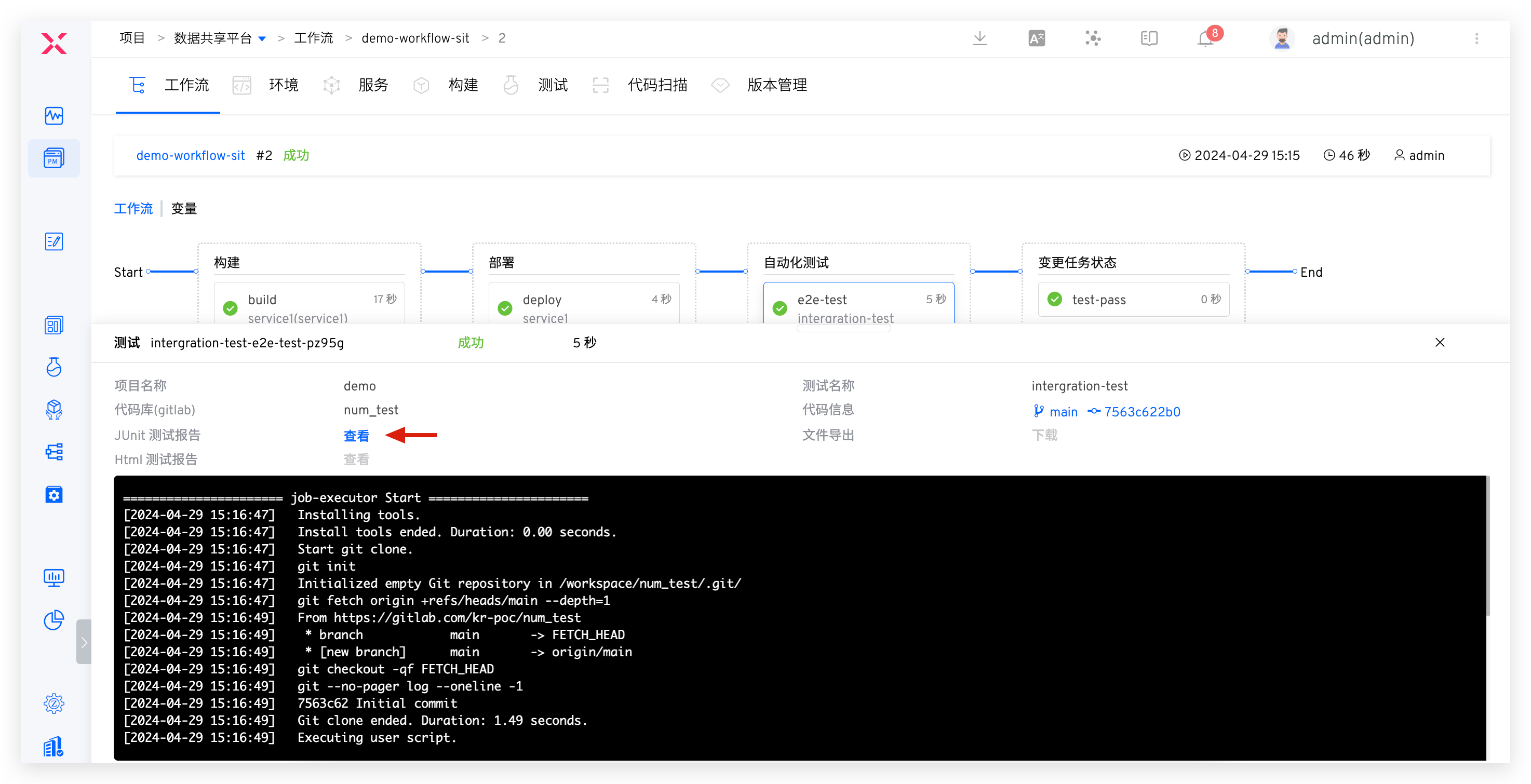
In Progressand the acceptance failure reason is synchronized with the R&D team to reduce information gaps. - After manually verifying new functions, analyze the test report and continuously supplement the automation test case set based on coverage, ensuring that the automation test suite and business functions iterate together, continuously providing value to the team.
# Integration Test Verification Scenario
Release Status Automatically Triggered: To-Do -> In Progress
Before the official release, the uat workflow is executed based on the main branch + PR to deploy the uat environment. The execution steps include: Build -> Deploy -> System Integration Test -> Change Task Status. If the integration test passes, the release status is changed to In Progress with one click.
After the integration verification is successful, the version release manager promptly merges the code changes to the main branch.
# Official Release and Launch Scenario
Zadig Workflow Automatically Triggers Release Status Change: In Progress -> Complete
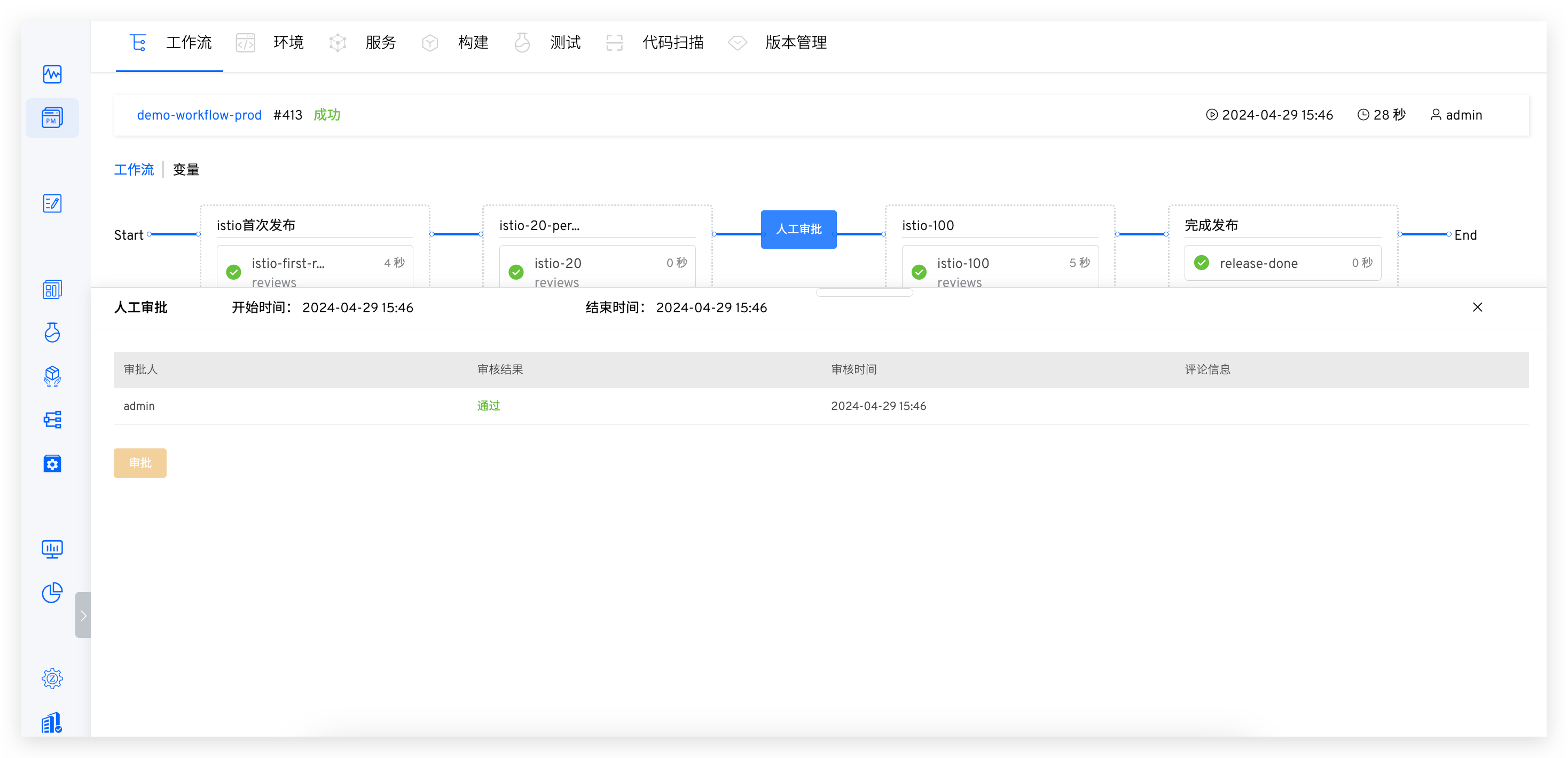
After the entire version is accepted, execute the prod workflow to perform the production release. Only after approval can it be released. After the update is complete, the release task is closed with one click. Several configuration strategies are recommended:
- Only versions that have passed the test and acceptance are allowed to be released, building release gates into the process.
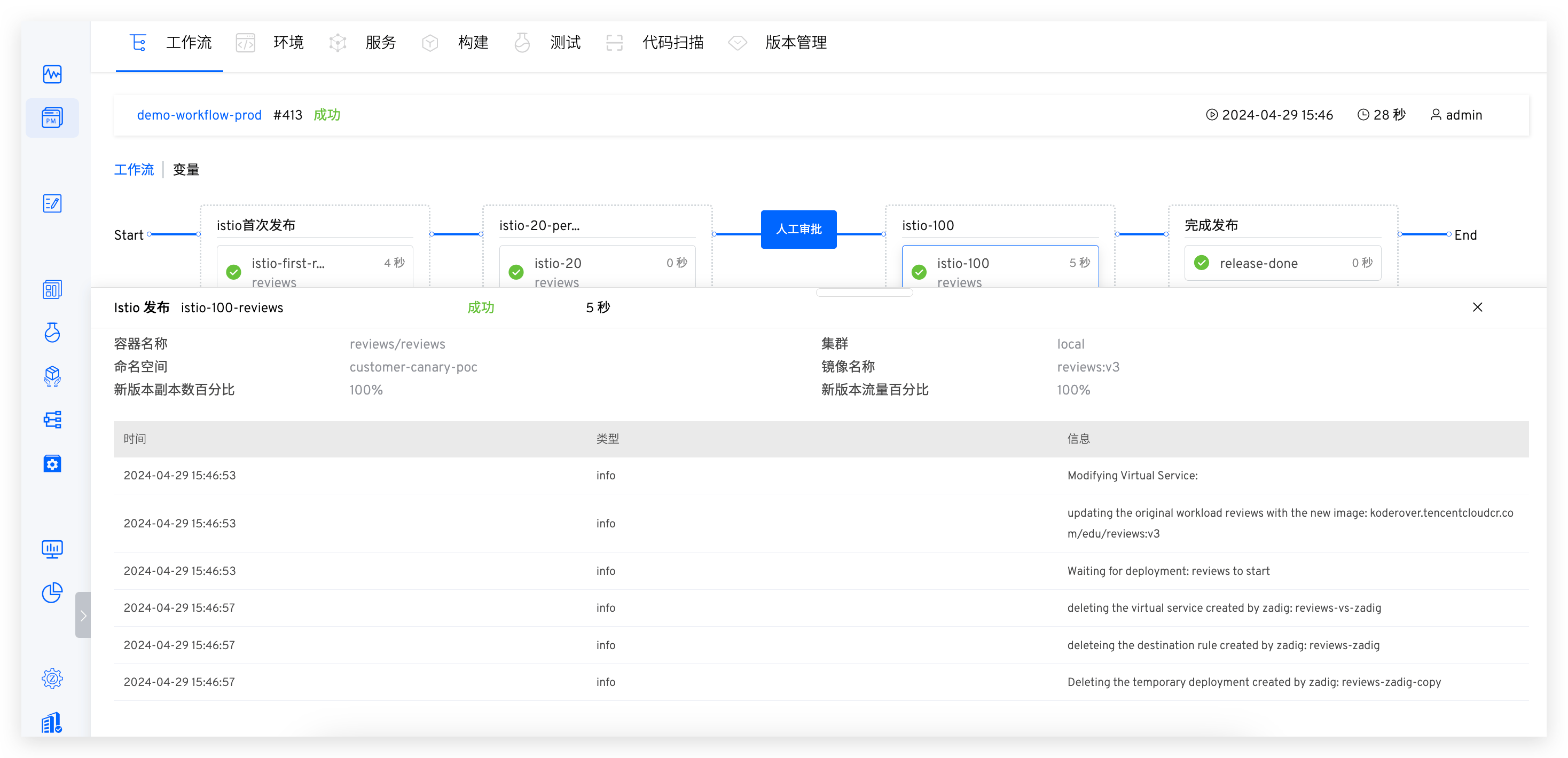
- Flexibly arrange blue-green, canary, batch grayscale, Istio, and other release strategies to ensure the reliability of releases. Refer to: Release Strategy (opens new window).
- Workflows should appropriately add manual approvals to ensure release compliance in business processes.
# Advanced Scenarios for Administrators
In addition to the daily collaboration scenarios of front-line engineers, the team level also needs to pay attention to some necessary management operations, such as unified environment updates and collecting the overall project status.
# Visualization of Project Management Quality and Efficiency
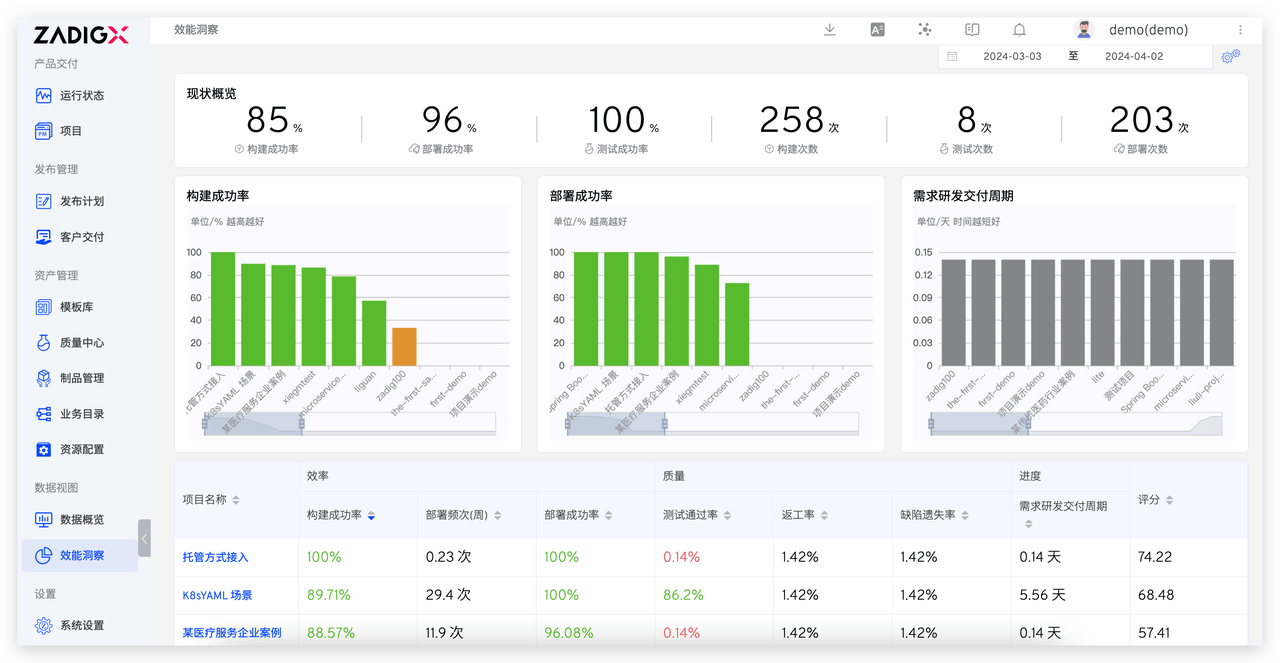
Jira project management data is integrated with Zadig engineering data to achieve unified indicator management visualization.
Based on the two-way interconnection collaboration between Zadig and Jira, full lifecycle performance data is generated. Through Zadig, custom performance indicators can be added, such as the average demand delivery cycle and the demand development delivery cycle. The data in this example comes from Jira and requires a small amount of indicator development. Enterprises can identify shortcomings through customized XOps agile performance boards, compare project scores, set performance goals based on the company's current status, and use data to drive improvements.
# Automatically Update All Development and Testing Environments
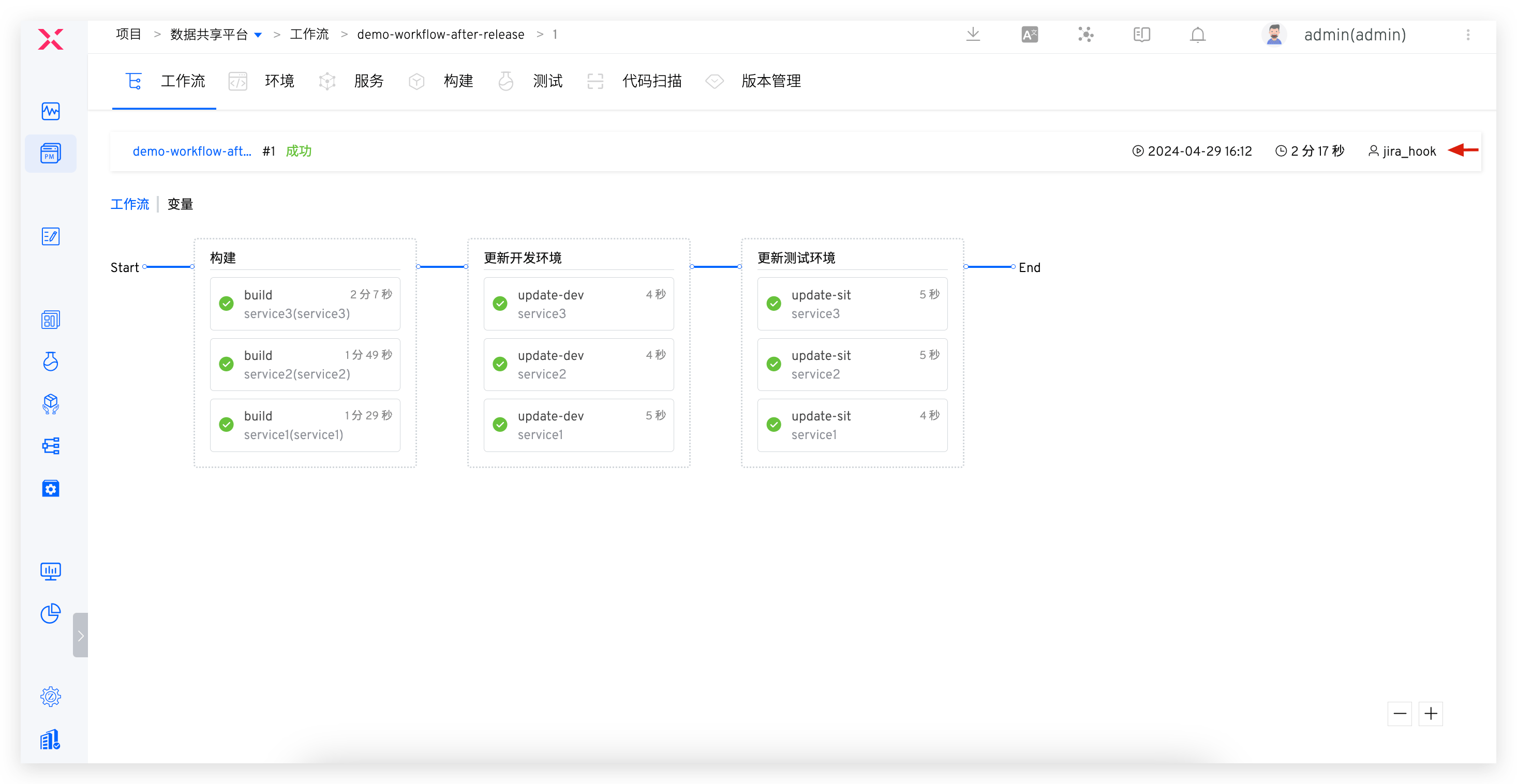
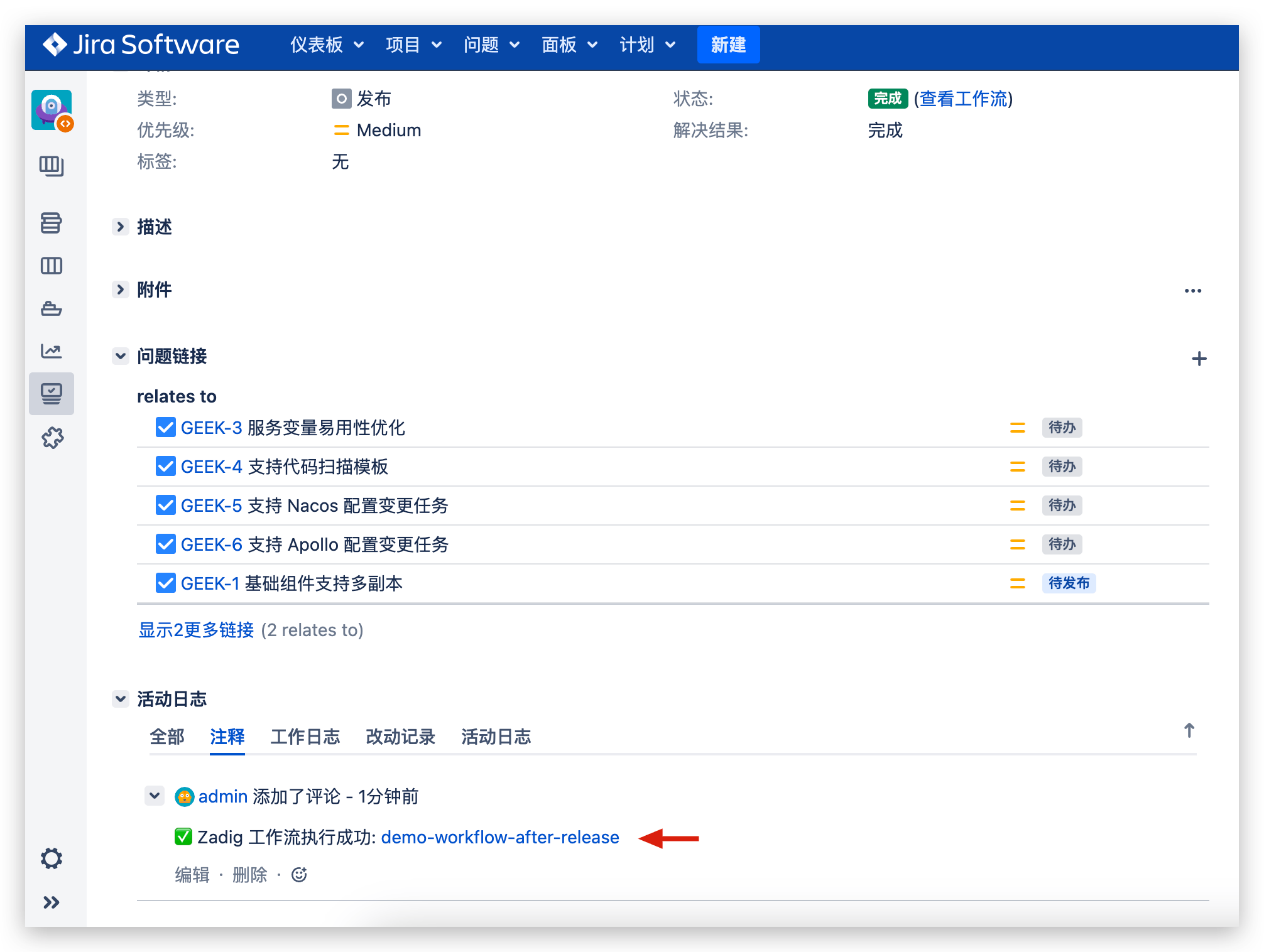
Jira Release Task Status Changes, Automatically Triggering Workflow to Update Environment.
After a production version is released, all development and testing environments can be updated to the latest stable version based on the main branch with one click, allowing R&D and testing to focus on demand implementation and quality assurance, reducing the daily mental burden of environment management.
Workflow includes build -> deploy development environment -> deploy test environment. For configuring Jira triggers, refer to the documentation: Jira Triggers (opens new window).
The combination of Zadig and Jira provides an engineered collaboration platform for product, R&D, and operations teams. From demand development to implementation, testing and verification, release and production, to demand closure, the entire process can be effectively managed. Project managers can monitor project progress in real-time to ensure projects are delivered smoothly in high-quality and agile ways. This collaboration method can stimulate the potential of the team and lay a solid foundation for the sustainable development and success of the company.


